
Images are one of the most common reasons a WordPress website becomes slow.
Large JPEG and PNG files can increase page size and make websites take longer to load, especially on mobile devices. Choosing a modern image format can reduce image file sizes while maintaining good visual quality.
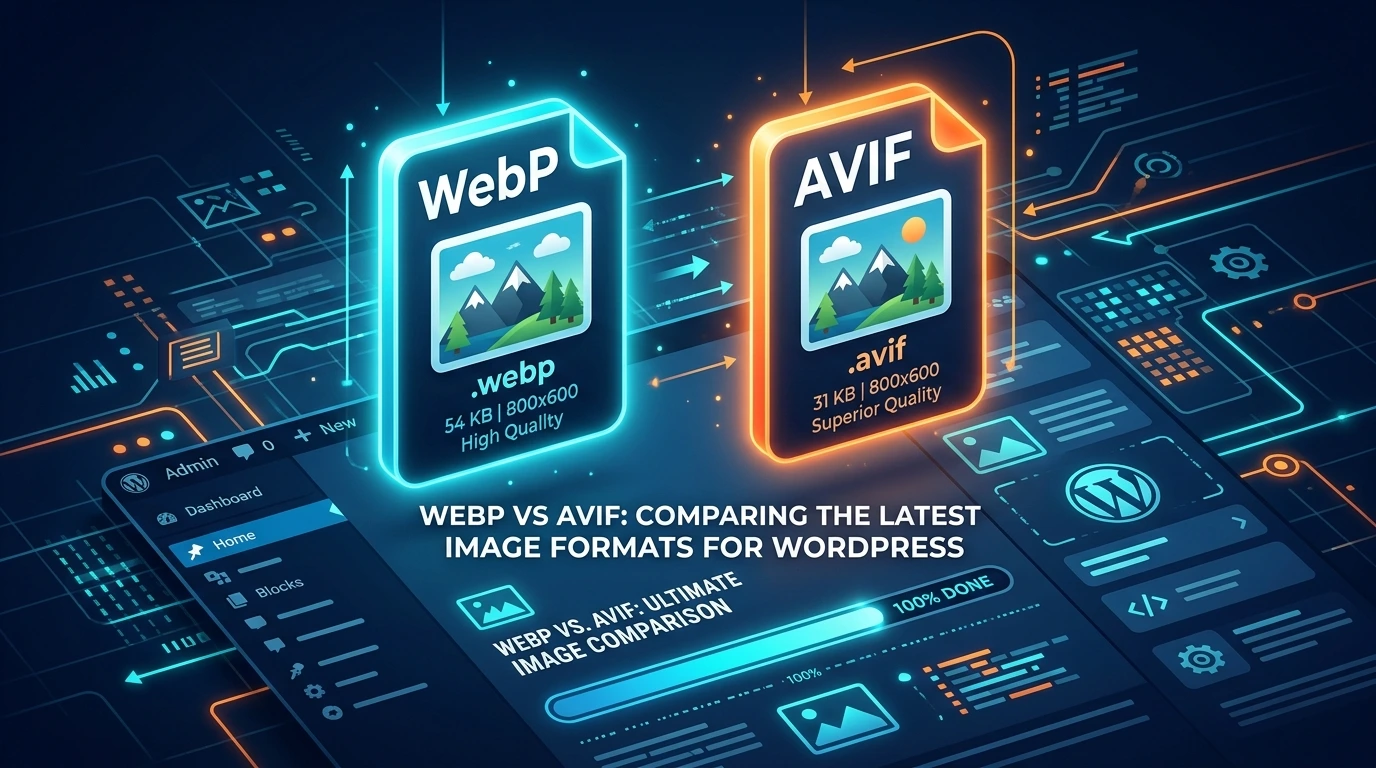
Two of the most popular modern image formats are WebP and AVIF.
But which one is better?
WebP vs AVIF: which image format is better for WordPress?
The answer depends on your website, visitors, image types, and optimization setup. AVIF generally provides better compression, while WebP offers excellent quality, broad compatibility, and a mature WordPress ecosystem.
In this guide, we’ll compare WebP and AVIF, explain their differences, and show you how to choose the best image format for your WordPress website.
We’ll also look at how a complete WordPress performance solution such as Optimazz can help you optimize images and other parts of your website.
Why Image Optimization Matters for WordPress Performance
Images can account for a large portion of a webpage’s total size.
A website with large, uncompressed images may take longer to load, use more bandwidth, and provide a poor experience for visitors on slower connections.
This is especially important for:
- WooCommerce stores
- Photography websites
- Blogs
- News websites
- Portfolio websites
- Elementor websites
- Image-heavy landing pages
Converting large images to modern formats such as WebP or AVIF can significantly reduce image file sizes.
However, image optimization is only one part of website performance.
A fast WordPress website may also require:
- Page caching
- CSS optimization
- JavaScript optimization
- Font optimization
- Lazy loading
- Database cleanup
- WordPress performance tweaks
This is where Optimazz can be useful.
Optimazz brings multiple WordPress performance optimization features together in one plugin, helping website owners work on different areas of website speed instead of relying on separate tools for every optimization task.
What Is WebP?
WebP is a modern image format developed by Google to provide smaller image files while maintaining good visual quality.
It supports both lossy and lossless compression, as well as transparency and animation.
Compared with traditional JPEG and PNG images, WebP can significantly reduce image file sizes.
This makes WebP one of the most widely used modern image formats for WordPress websites.
Benefits of WebP
WebP offers several advantages:
- Smaller image file sizes
- Good visual quality
- Lossy compression
- Lossless compression
- Transparency support
- Animation support
- Broad browser support
- Excellent WordPress compatibility
- Reduced bandwidth usage
- Faster image delivery
For many websites, converting JPEG and PNG images to WebP can provide a noticeable performance improvement.
What Is AVIF?
AVIF stands for AV1 Image File Format.
It is a modern image format based on the AV1 video codec and was designed to provide highly efficient image compression.
AVIF supports advanced features such as:
- Lossy compression
- Lossless compression
- Transparency
- Animation
- HDR
- Wide color gamut
- High color depths
One of the biggest advantages of AVIF is its compression efficiency.
For visually similar images, AVIF can often produce smaller files than WebP.
This makes AVIF an attractive option for website owners who want to reduce image sizes as much as possible.
WordPress 6.5 introduced native AVIF support, provided the hosting environment has the necessary image-processing capabilities.
WebP vs AVIF: What’s the Difference?
The main difference between WebP and AVIF is their compression efficiency and ecosystem maturity.
WebP has been widely adopted and has a mature WordPress ecosystem.
AVIF is newer but generally provides better compression.
Here is a quick comparison:
| Feature | WebP | AVIF |
|---|---|---|
| Lossy compression | Yes | Yes |
| Lossless compression | Yes | Yes |
| Transparency | Yes | Yes |
| Animation | Yes | Yes |
| Compression efficiency | Excellent | Usually better |
| Image quality | Excellent | Excellent |
| Browser support | Very broad | Broad |
| HDR | Limited | Yes |
| Wide color gamut | Limited | Yes |
| WordPress support | Excellent | Native since WordPress 6.5 |
| File size | Small | Often smaller |
| Ecosystem maturity | More mature | Newer |
Both formats are excellent choices for modern WordPress websites.
WebP vs AVIF: Which Has Better Compression?
This is where AVIF has an important advantage.
Both WebP and AVIF can significantly reduce image file sizes compared with JPEG and PNG.
However, AVIF generally provides better compression than WebP at comparable visual quality.
For example, imagine you have a JPEG image that is 500 KB.
After optimization, you might get results such as:
- JPEG: 500 KB
- WebP: 350 KB
- AVIF: 250–300 KB
These numbers are only examples. Actual results depend on:
- Original image
- Image dimensions
- Compression settings
- Quality level
- Image content
- Encoder
- Optimization tool
Therefore, you should test your actual images rather than assuming that AVIF will always produce a specific file-size reduction.
Winner: AVIF
If your primary goal is maximum compression, AVIF generally has the advantage.
WebP vs AVIF: Which Has Better Image Quality?
Both WebP and AVIF can provide excellent image quality.
At aggressive compression levels, AVIF can preserve visual quality effectively while keeping file sizes low.
AVIF also supports advanced features such as HDR, wide color gamut, and higher color depths.
However, image quality isn’t determined by the format alone.
Compression settings are equally important.
A poorly optimized AVIF image can look worse than a well-optimized WebP image.
Winner: Tie
Both formats can deliver excellent visual quality when properly optimized.
WebP vs AVIF: Which Is Better for WordPress?
Both formats work well with WordPress, but WebP has a more mature ecosystem.
WebP has been supported by WordPress optimization plugins, CDNs, hosting platforms, and image tools for years.
AVIF became significantly easier to use with WordPress after WordPress 6.5 introduced native AVIF support.
However, AVIF support depends on the server’s image-processing capabilities.
Before using AVIF extensively, check whether your hosting environment supports it.
You can check supported media handling features from:
WordPress Dashboard → Tools → Site Health → Info → Media Handling
Winner: WebP for compatibility
If you want the easiest and most mature workflow, WebP remains an excellent choice.
If your WordPress installation and hosting environment support AVIF properly, AVIF is also a powerful option.
Is AVIF Better Than WebP for SEO?
There is no simple rule that says Google ranks AVIF images higher than WebP images.
Search engines care about the overall performance and user experience of your website.
Optimized images can help reduce page weight and improve loading performance.
Important image-performance factors include:
- Image file size
- Image dimensions
- Responsive images
- Lazy loading
- Caching
- Hosting performance
- Core Web Vitals
- Proper image placement
- Image compression
Therefore, don’t choose AVIF simply because it is newer.
Choose the format that provides the best balance between:
Quality + file size + compatibility + performance
WebP vs AVIF and Core Web Vitals
Images can have a significant impact on website performance.
Large images increase the amount of data visitors need to download, especially on mobile connections.
Optimizing images can therefore contribute to a faster WordPress website.
However, simply converting JPEG images to WebP or AVIF isn’t enough.
A complete WordPress performance strategy should also consider:
- Page caching
- CSS optimization
- JavaScript optimization
- Font optimization
- Lazy loading
- Responsive images
- Database optimization
- CDN delivery
- Proper image dimensions
This is why image optimization should be combined with broader WordPress performance optimization.
How Optimazz Helps With WordPress Image Optimization
Manually optimizing every image can become difficult, especially for websites with hundreds or thousands of images.
Optimazz is designed to simplify WordPress performance optimization by bringing multiple optimization features together.
Depending on your configuration, Optimazz can help you work on areas such as:
- Image optimization
- WebP and AVIF optimization
- Lazy loading
- Page caching
- CSS optimization
- JavaScript optimization
- Font optimization
- Database cleanup
- WordPress performance tweaks
This means you can work on image performance while also addressing other common causes of slow WordPress websites.
For example, converting a large JPEG image to AVIF can reduce image size, while caching and CSS/JavaScript optimization can help improve other parts of page loading.
Instead of treating image optimization as an isolated task, Optimazz helps you approach WordPress performance more comprehensively.
Should You Use WebP or AVIF in WordPress?
There isn’t one answer for every website.
Choose WebP If:
- You want a mature image format
- You want broad compatibility
- Your optimization tools work well with WebP
- You want an easy conversion workflow
- Your current WebP images already perform well
Choose AVIF If:
- You want maximum compression
- Your hosting supports AVIF
- Your image optimization system supports AVIF
- Your audience primarily uses modern browsers
- You want to reduce image file sizes further
Use Both If Possible
For many WordPress websites, using AVIF with WebP or JPEG fallback can provide a strong balance between performance and compatibility.
The HTML <picture> element can be used to provide different image formats so browsers can select an appropriate source.
A typical strategy can look like:
AVIF → WebP → JPEG
This allows modern browsers to download a more efficient image format while maintaining a fallback for environments that need it.
How to Use WebP in WordPress
There are several ways to use WebP images in WordPress.
1. Upload WebP Images
You can create WebP images using an image editor or image conversion tool and upload them to your WordPress Media Library.
2. Use an Image Optimization Plugin
Many WordPress optimization plugins can automatically convert uploaded images to WebP.
This saves time because you don’t need to manually convert every image.
Optimazz can also be part of your WordPress optimization workflow when you want to manage image performance alongside other speed optimizations.
3. Use CDN Image Optimization
Some CDN and image optimization services can automatically deliver modern image formats based on browser support.
This can reduce the amount of data visitors need to download.
How to Use AVIF in WordPress
Modern versions of WordPress support AVIF when the server environment provides the necessary image-processing capabilities.
WordPress 6.5 introduced support for uploading, editing, resizing, and saving AVIF images.
Before using AVIF extensively, check:
- Your WordPress version
- Your hosting environment
- Your image-processing library
- Your optimization plugin
- Browser compatibility requirements
- Your image delivery method
If your server doesn’t support AVIF processing, you may need to configure your hosting environment or use an external image optimization service.
How to Optimize Images for WordPress
Choosing WebP or AVIF is only one part of image optimization.
Follow these best practices to improve WordPress image performance.
1. Resize Images Before Uploading
Don’t upload a 5000px-wide image if your website only displays it at 1200px.
Resize images to appropriate dimensions before uploading them.
2. Compress Images
Compression removes unnecessary image data and reduces file size.
Choose a suitable quality level rather than always using maximum compression.
3. Choose WebP or AVIF
Replace unnecessarily large JPEG and PNG images with modern formats when appropriate.
4. Use Responsive Images
WordPress provides responsive-image functionality that helps browsers select an appropriate image size.
5. Lazy Load Below-the-Fold Images
Images that aren’t immediately visible don’t always need to load immediately.
Lazy loading can reduce the amount of content that needs to be downloaded during the initial page load.
6. Optimize Large Images
Pay special attention to:
- Hero images
- Featured images
- Banners
- Product images
- Background images
These can have a significant impact on page performance.
7. Use Page Caching
Image optimization works best when combined with an effective caching strategy.
A caching system can help reduce server processing time and improve how quickly pages are delivered to visitors.
8. Optimize CSS and JavaScript
Large or poorly optimized CSS and JavaScript files can also affect page performance.
Optimizing these resources alongside images can provide a more complete performance improvement.
Optimazz includes CSS and JavaScript optimization features that can be used as part of your broader WordPress performance workflow.
9. Optimize Fonts
Web fonts can also contribute to page weight and loading time.
Reducing unnecessary font files and optimizing font loading can help improve website performance.
10. Test Your Website
After optimizing your images and website settings, test your website using performance testing tools.
Don’t assume that a change improved performance.
Measure the results and make adjustments when necessary.
Common Image Optimization Mistakes
Even after converting images to WebP or AVIF, WordPress websites can remain slow because of other optimization mistakes.
Uploading Images That Are Too Large
A 4000px image isn’t necessary when the website only displays it at 800px.
Using Too Many Images
Adding unnecessary images increases page size.
Ignoring Lazy Loading
Loading every image immediately can increase initial page weight.
Optimizing Images but Ignoring CSS and JavaScript
Images aren’t the only performance factor.
CSS and JavaScript can also affect loading performance.
Using Too Many Optimization Plugins
Installing several plugins that perform the same optimization tasks can create conflicts or duplicate processing.
A more centralized optimization strategy can make performance management easier.
This is one reason solutions such as Optimazz can be useful for WordPress website owners who want multiple performance tools in one place.
WebP vs AVIF for WooCommerce
WooCommerce stores often contain many product images.
Large product images can increase page size and affect the shopping experience, particularly on mobile devices.
Using WebP or AVIF can help reduce image file sizes.
For WooCommerce websites, consider optimizing:
- Product images
- Product thumbnails
- Category images
- Banners
- Hero images
- Related product images
However, don’t focus only on images.
WooCommerce performance can also be affected by caching, scripts, database queries, third-party services, and other website resources.
Using a complete performance optimization strategy can therefore be more effective than focusing on image formats alone.
WebP vs AVIF: Which One Should You Choose?
Let’s make the decision simple.
For General WordPress Websites
WebP is an excellent default choice.
It provides strong compression, good image quality, broad browser support, and a mature ecosystem.
For Maximum Compression
AVIF is often the better choice.
It can provide smaller image files while maintaining excellent visual quality.
For Maximum Flexibility
Use AVIF with a WebP or JPEG fallback.
This approach allows modern browsers to receive highly compressed images while maintaining compatibility where necessary.
One Plugin for a Faster WordPress Website
Optimizing images is important, but website speed depends on much more than image formats.
If you’re looking for a WordPress performance solution that covers multiple optimization areas, Optimazz can help simplify your workflow.
Optimazz brings together features for:
- Page caching
- Image optimization
- WebP and AVIF optimization
- CSS optimization
- JavaScript optimization
- Font optimization
- Database cleanup
- WordPress performance tweaks
Instead of managing separate tools for different performance tasks, you can manage key optimization settings from one WordPress plugin.
The goal isn’t simply to make one part of your website faster.
The goal is to create a faster, more efficient WordPress website overall.
WebP vs AVIF: Final Verdict
So, WebP vs AVIF—which image format is better for WordPress?
The answer is:
AVIF wins on compression efficiency, while WebP wins on maturity and compatibility.
If your website and optimization tools fully support AVIF, it can be an excellent choice for reducing image file sizes.
However, WebP remains a reliable and practical format for WordPress websites.
For many websites, the best strategy isn’t necessarily choosing one format exclusively.
Instead, use an intelligent image delivery strategy that provides an efficient modern format to capable browsers while maintaining an appropriate fallback.
Most importantly, remember that image format is only one part of website speed optimization.
A truly fast WordPress website also needs caching, optimized CSS and JavaScript, responsive images, optimized fonts, efficient hosting, and other performance improvements.
With a complete optimization solution such as Optimazz, you can work on multiple areas of WordPress performance from one place.
Ready to Optimize Your WordPress Website?
Don’t stop at converting your images.
Optimize your WordPress website with Optimazz and take a complete approach to website performance.
Explore Optimazz and discover a simpler way to optimize caching, images, CSS, JavaScript, fonts, database performance, and other WordPress settings.
Frequently Asked Questions
Is AVIF better than WebP?
AVIF generally provides better compression than WebP, meaning it can produce smaller files at similar visual quality. However, WebP has a more mature ecosystem and broad support.
Should I use WebP or AVIF in WordPress?
Both are good choices. WebP is an excellent default for compatibility and simplicity, while AVIF is a strong choice when maximum compression is the priority.
Does WordPress support AVIF?
Yes. WordPress 6.5 introduced native AVIF support, provided the hosting environment has the required image-processing support.
Is WebP good for SEO?
Yes. WebP can reduce image file sizes and improve page performance. However, the image format itself isn’t a direct guarantee of better search rankings.
Is AVIF good for SEO?
Yes. Smaller image files can reduce page weight and potentially improve loading performance. AVIF can be particularly useful when its smaller file sizes translate into better website performance.
Can I use both WebP and AVIF?
Yes. You can provide AVIF as the preferred format and WebP or JPEG as a fallback using appropriate image-delivery techniques.
Which image format is smaller, WebP or AVIF?
AVIF is generally more compression-efficient than WebP, although the actual file size depends on the image and compression settings.
Does converting JPEG to AVIF always make a website faster?
Not necessarily. Image dimensions, compression quality, caching, delivery method, lazy loading, and the rest of your website’s performance configuration also matter.
Can Optimazz optimize WordPress images?
Optimazz is designed as a WordPress performance optimization solution with image optimization alongside other performance features such as caching, CSS optimization, JavaScript optimization, font optimization, database cleanup, and WordPress performance tweaks.
Conclusion
WebP and AVIF are both excellent modern image formats for WordPress.
WebP is a safe and practical choice for most websites because of its excellent compatibility and mature ecosystem.
AVIF is an excellent choice when reducing image file sizes as much as possible is the priority.
If your hosting environment and optimization tools support it, using AVIF with a suitable fallback can provide an excellent balance between performance and compatibility.
But don’t stop at image optimization.
For a faster WordPress website, you should also consider caching, CSS, JavaScript, fonts, database performance, and other optimization areas.
Optimazz brings these important performance tools together to help WordPress website owners take a more complete approach to website optimization.
Ready to improve your WordPress website? Try Optimazz and start optimizing your website’s performance today.