
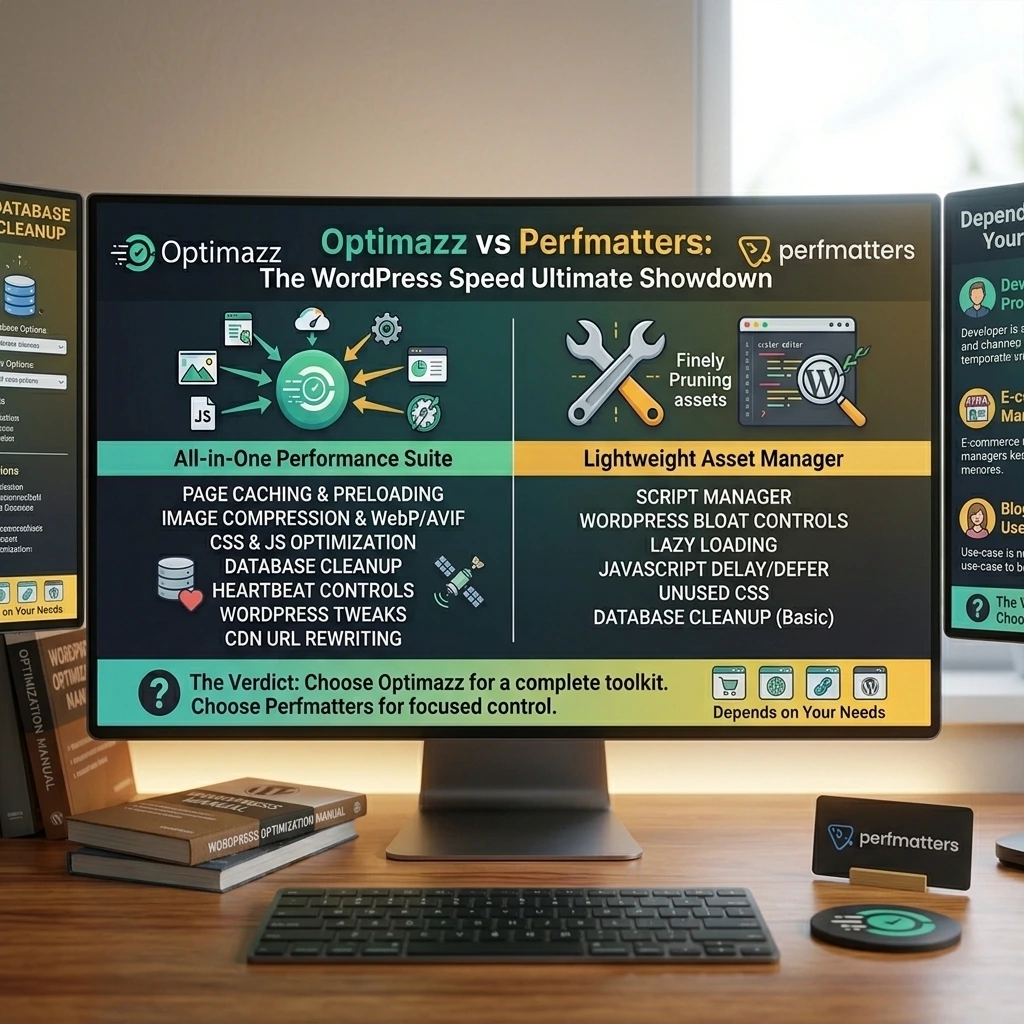
Choosing the right WordPress speed optimization plugin can have a major impact on website performance, Core Web Vitals, loading times, and user experience.
When comparing Optimazz vs Perfmatters, both plugins offer powerful tools for improving WordPress performance. However, they are built around different approaches.
Perfmatters is known as a lightweight WordPress performance plugin focused heavily on disabling unnecessary features, managing scripts and assets, lazy loading, database optimization, and fine-tuning WordPress websites.
Optimazz takes a broader approach by combining page caching, JavaScript optimization, CSS optimization, image optimization, font optimization, database cleanup, Heartbeat controls, WordPress tweaks, and CDN URL rewriting into one WordPress-focused performance suite.
So, Optimazz vs Perfmatters — which one should you choose?
If you want a lightweight optimization layer focused primarily on reducing unnecessary WordPress assets, Perfmatters is a strong option.
But if you want a more complete WordPress optimization toolkit that also includes page caching and multiple performance modules in one plugin, Optimazz deserves a closer look.
Let’s compare them.
Optimazz vs Perfmatters: Quick Comparison
| Feature | Optimazz | Perfmatters |
|---|---|---|
| Page Cache | Yes | No |
| Cache Preloading | Yes | No |
| JavaScript Defer | Yes | Yes |
| JavaScript Delay | Yes | Yes |
| CSS Minification | Yes | Yes |
| CSS Combination | Yes | Yes |
| Async CSS | Yes | Yes |
| Remove Unused CSS | — | Yes |
| Image Lazy Loading | Yes | Yes |
| WebP | Yes | Yes |
| AVIF | Yes | Yes |
| Image Compression | Yes | — |
| Font Optimization | Yes | Yes |
| Database Cleanup | Yes | Yes |
| Heartbeat Optimization | Yes | Yes |
| WordPress Tweaks | Yes | Yes |
| Script Management | Exclusions | Script Manager |
| CDN URL Rewriting | Yes | — |
| WooCommerce Optimization | Yes | Yes |
| External Service Required | No | No |
| All-in-One Optimization | Yes | Performance-focused |
The exact features and implementation can change with future releases, so always check the latest documentation before deploying optimization settings on a production website.
What Is Optimazz?
Optimazz is an all-in-one WordPress performance suite designed to improve website speed through multiple optimization modules.
Instead of requiring separate tools for caching, JavaScript, CSS, images, database cleanup, and WordPress performance tweaks, Optimazz brings these functions together.
Its current modules include:
- Page Cache
- Cache Preloader
- JavaScript optimization
- CSS optimization
- Image Optimization
- Font optimization
- Database cleanup
- Heartbeat optimization
- WordPress Tweaks
- CDN URL rewriting
Optimazz is designed around an opt-in and reversible approach, allowing website owners to enable the optimizations their websites actually need.
Another important advantage is that Optimazz works on your own server by default and does not require an external optimization service to function.
This makes Optimazz particularly interesting for WordPress developers who want to keep their performance stack inside WordPress.
What Is Perfmatters?
Perfmatters is a lightweight WordPress performance plugin designed to reduce unnecessary scripts, assets, and WordPress features that can negatively affect website performance.
Its feature set includes:
- Script Manager
- JavaScript defer
- JavaScript delay
- Lazy loading
- WebP and AVIF support
- Database optimization
- Heartbeat controls
- WordPress bloat removal
- WooCommerce optimizations
- Google Fonts controls
- CSS optimization
- Unused CSS removal
- Code Snippet Manager
Perfmatters also provides many quick-toggle options for disabling features such as emojis, embeds, Dashicons, XML-RPC, RSS feeds, WooCommerce scripts, and other WordPress functionality that may not be required on a particular website.
Perfmatters describes itself as a lightweight performance plugin and emphasizes that it does not load JavaScript on the frontend of the site.
Optimazz vs Perfmatters: Page Caching
One of the biggest differences between the two plugins is page caching.
Optimazz includes its own page caching system.
Its page cache can serve static HTML instead of processing PHP and database queries on every request.
Optimazz also includes:
- Cache preloading
- Automatic cache purging
- Smart cache exclusions
- Logged-in user exclusions
- Cart exclusions
- Query-string handling
- Cache controls
This means Optimazz can handle one of the most important layers of WordPress performance directly.
Perfmatters is different.
It is primarily designed as a performance optimization and asset-management plugin rather than a standalone page-cache solution.
Optimazz Advantage
If you want one plugin that can handle page caching plus other performance optimizations, Optimazz has a clear advantage.
This can simplify your WordPress performance stack because you do not necessarily need a separate page-cache plugin just to handle basic page caching.
Optimazz vs Perfmatters: JavaScript Optimization
JavaScript optimization is important for reducing main-thread work and improving responsiveness.
Both Optimazz and Perfmatters provide JavaScript optimization.
Optimazz provides:
- JavaScript defer
- JavaScript delay
- Exclusion controls
Perfmatters provides:
- JavaScript defer
- JavaScript delay
- Script exclusions
- Per-page script controls through its Script Manager
Perfmatters has particularly strong script management capabilities, allowing administrators to control scripts on specific pages and posts.
Winner for Script Management: Perfmatters
Perfmatters has a mature Script Manager that is especially useful when you need detailed control over individual scripts.
Why Optimazz Still Matters
Optimazz combines JavaScript optimization with page caching, CSS, image, font, database, and other performance modules.
So if you are looking for a broader optimization suite rather than primarily a script-management tool, Optimazz offers a different advantage.
Optimazz vs Perfmatters: CSS Optimization
CSS can become a major performance issue on WordPress websites, especially when using page builders and large themes.
Optimazz provides:
- CSS minification
- CSS combination
- Asynchronous CSS loading
These tools help reduce render-blocking CSS and optimize the delivery of stylesheets.
Perfmatters also provides CSS optimization and unused CSS removal features.
Perfmatters Advantage
Perfmatters has a strong focus on removing unused CSS and controlling how CSS assets are loaded.
Optimazz Advantage
Optimazz provides CSS optimization as part of a broader all-in-one optimization system.
That means CSS is not an isolated feature—it works alongside caching, JavaScript optimization, images, fonts, and other performance modules.
Optimazz vs Perfmatters: Image Optimization
Images can have a significant impact on page size and loading time.
Optimazz includes a comprehensive image optimization module with:
- Lazy loading
- Lazy-loaded iframes
- Image dimensions
- WebP
- AVIF
- Bulk image compression
- PNG-to-JPEG conversion
- YouTube facade
Optimazz can generate modern image formats and optimize existing images in the WordPress media library.
Perfmatters also provides:
- Image lazy loading
- Iframe lazy loading
- Video lazy loading
- WebP
- AVIF
- Image dimensions
- LCP image exclusions
- Background image lazy loading
Perfmatters documents these features as part of its lazy-loading system.
Optimazz Advantage
Optimazz provides a stronger focus on image compression and bulk image processing as part of its image optimization module.
Perfmatters is excellent for lazy-loading and controlling when images and media are loaded.
Optimazz vs Perfmatters: Database Optimization
Both plugins provide database optimization.
Perfmatters can clean:
- Revisions
- Auto-drafts
- Spam comments
- Transients
- Other unnecessary database data
It also provides options to limit or disable post revisions and adjust autosave behavior.
Optimazz provides database cleanup for:
- Revisions
- Auto-drafts
- Trashed posts
- Spam comments
- Trashed comments
- Expired transients
- Database table optimization
- Scheduled cleanup
Optimazz Advantage
Optimazz integrates database maintenance into the same dashboard as caching, CSS, JavaScript, images, fonts, and other performance tools.
For users looking for a broader WordPress optimization suite, this can be more convenient.
Optimazz vs Perfmatters: Heartbeat Optimization
The WordPress Heartbeat API can generate periodic AJAX requests.
On certain websites, excessive Heartbeat activity can contribute to unnecessary server load.
Both Optimazz and Perfmatters provide Heartbeat controls.
Perfmatters allows administrators to disable or change the frequency of Heartbeat requests.
Optimazz also provides Heartbeat optimization controls that can reduce or disable Heartbeat behavior according to context.
Result: Tie
Both plugins provide useful Heartbeat optimization features.
Optimazz vs Perfmatters: WordPress Tweaks
WordPress includes many features that are not required on every website.
Perfmatters provides a large collection of quick toggles for disabling or modifying WordPress functionality.
Examples include:
- Emojis
- Embeds
- Dashicons
- XML-RPC
- RSS feeds
- REST API links
- jQuery Migrate
- Google Fonts
- WooCommerce widgets
- WooCommerce scripts
- Password strength meter
- Pingbacks
Optimazz also provides a Tweaks module that can disable several unnecessary WordPress features, including:
- Emojis
- Embeds
- Dashicons
- Query strings
- XML-RPC
- Pingbacks
It can also add DNS-prefetch and preconnect hints.
Result: Perfmatters
Perfmatters currently offers a larger collection of individual WordPress bloat-control toggles.
However, Optimazz combines its tweaks with a much broader all-in-one performance toolkit.
Optimazz vs Perfmatters: CDN
Optimazz includes CDN URL rewriting.
When enabled, Optimazz can rewrite URLs for static assets such as:
- CSS
- JavaScript
- Images
You provide the CDN hostname, and Optimazz handles the URL rewriting.
The CDN itself remains a service that you choose and configure.
Perfmatters does not position itself as a CDN provider.
Instead, it can work alongside external caching and CDN solutions.
Optimazz Advantage
Optimazz gives you built-in CDN URL rewriting as part of its performance suite.
This is useful if you already use a CDN and want to connect it with your WordPress optimization workflow.
Optimazz vs Perfmatters: WooCommerce
WooCommerce websites often require special performance considerations.
Perfmatters includes WooCommerce-specific optimization options such as disabling WooCommerce scripts and styles and controlling cart fragments.
Optimazz’s page cache includes smart exclusions for dynamic situations such as carts and logged-in users.
Best Approach
For WooCommerce, performance optimization should be configured carefully.
You should always test:
- Cart
- Checkout
- My Account
- Product pages
- Variable products
- AJAX functionality
- Payment gateways
before applying aggressive caching or JavaScript optimization.
Optimazz vs Perfmatters: Developer Control
Both plugins are useful for developers, but their philosophies are slightly different.
Perfmatters focuses heavily on lightweight optimization, script management, and disabling unnecessary WordPress functionality.
Its Script Manager is particularly useful when you need to stop specific scripts or assets from loading on individual pages.
Optimazz focuses on bringing multiple optimization layers together.
Instead of installing one plugin for caching, another for images, another for database cleanup, and another for JavaScript optimization, Optimazz aims to provide these tools in one place.
Why Optimazz Is Interesting for Developers
Optimazz uses an opt-in and reversible module system.
This means you can activate:
- Cache
- JavaScript
- CSS
- Images
- Fonts
- Database
- Heartbeat
- Tweaks
- CDN
according to the requirements of your website.
This makes Optimazz particularly useful for developers who manage different types of WordPress websites.
Optimazz vs Perfmatters: Ease of Use
Perfmatters is known for its lightweight dashboard and one-click optimization toggles. Its official website emphasizes simplicity and avoiding unnecessary admin complexity.
Optimazz also aims to make performance optimization accessible through separate modules.
The difference is that Optimazz gives users a wider collection of performance functions inside the same plugin.
Choose Perfmatters If:
You want a lightweight performance plugin focused on:
- Script management
- WordPress bloat removal
- Lazy loading
- Database cleanup
- Fine-grained asset control
Choose Optimazz If:
You want a broader WordPress optimization suite that includes:
- Page caching
- Cache preloading
- JavaScript optimization
- CSS optimization
- Image optimization
- Font optimization
- Database cleanup
- Heartbeat optimization
- WordPress tweaks
- CDN URL rewriting
Optimazz vs Perfmatters: Performance and Core Web Vitals
Both plugins can help improve WordPress performance and Core Web Vitals.
Optimazz addresses several performance areas through:
- Page caching
- JavaScript defer and delay
- CSS optimization
- Image optimization
- Font optimization
- Database cleanup
- Heartbeat optimization
- WordPress tweaks
Perfmatters focuses on reducing unnecessary requests, optimizing scripts, lazy loading, database cleanup, and other lightweight performance improvements.
However, no plugin can guarantee a specific PageSpeed Insights score.
Your Core Web Vitals results also depend on:
- Hosting
- Theme
- Page builder
- Plugins
- Images
- Third-party scripts
- CDN
- Server location
- Website structure
The goal should be to build a balanced performance configuration rather than simply chasing a perfect score.
Optimazz vs Perfmatters: Pricing
Perfmatters is a premium plugin with current annual pricing starting at $29.95 for one site, $59.95 for three sites, and $124.95 for unlimited sites. The licenses include one year of support and updates, with a 30-day money-back guarantee.
Optimazz is available through the WordPress.org plugin directory and its core functionality works directly on your server without requiring an external optimization service.
For users comparing the two products, pricing should therefore be considered alongside the actual feature requirements of the website.
Optimazz vs Perfmatters: Which One Should You Choose?
There is no single plugin that is perfect for every WordPress website.
Your choice should depend on what you need.
Choose Optimazz If You Want an All-in-One Solution
Optimazz is a strong choice if you want:
- Page caching
- Cache preloading
- CSS optimization
- JavaScript optimization
- Image compression
- WebP and AVIF
- Font optimization
- Database cleanup
- Heartbeat optimization
- WordPress tweaks
- CDN URL rewriting
all within one WordPress-focused plugin.
Choose Perfmatters If You Want a Lightweight Optimization Layer
Perfmatters is a strong choice if your main priorities are:
- Script management
- Disabling unnecessary WordPress features
- Lazy loading
- JavaScript delay
- Database cleanup
- Unused CSS
- WooCommerce-specific tweaks
Perfmatters is particularly useful when you already have a separate page-cache solution and want a lightweight performance layer on top.
Optimazz vs Perfmatters: Our Verdict
So, Optimazz vs Perfmatters — which one should you choose?
Perfmatters is a mature and capable WordPress performance plugin with particularly strong script management, WordPress bloat controls, lazy loading, and optimization features.
But Optimazz takes a broader approach.
Instead of concentrating primarily on asset management and WordPress cleanup, Optimazz combines page caching, cache preloading, CSS, JavaScript, image optimization, fonts, database cleanup, Heartbeat controls, WordPress tweaks, and CDN rewriting in one performance suite.
That makes Optimazz a compelling choice for WordPress users who want a more complete optimization toolkit rather than a lightweight optimization layer.
If you already have a caching solution and mainly need detailed script and asset control, Perfmatters is worth considering.
But if you want one WordPress plugin to handle multiple important areas of website optimization, Optimazz is the stronger fit.
Final Recommendation
Choose Optimazz for an all-in-one WordPress optimization approach.
Choose Perfmatters for lightweight asset management and granular script control.
For developers who want to simplify their WordPress performance stack while keeping optimization controls inside WordPress, Optimazz is a powerful Perfmatters alternative worth trying.
Final Comparison
| Category | Recommended |
|---|---|
| Page Caching | Optimazz |
| Cache Preloading | Optimazz |
| All-in-One Optimization | Optimazz |
| Image Compression | Optimazz |
| CDN URL Rewriting | Optimazz |
| Script Management | Perfmatters |
| WordPress Bloat Controls | Perfmatters |
| Unused CSS | Perfmatters |
| Lightweight Asset Optimization | Perfmatters |
| Database Optimization | Tie |
| Heartbeat Optimization | Tie |
| JavaScript Defer/Delay | Tie |
| WebP/AVIF | Tie |
| Developer Control | Depends on use case |
| Complete WordPress Performance Toolkit | Optimazz |
Frequently Asked Questions
Is Optimazz a Perfmatters alternative?
Yes. Optimazz can be used as a Perfmatters alternative for WordPress users who want caching, CSS, JavaScript, image, font, database, Heartbeat, and other optimization features in one plugin.
Is Optimazz better than Perfmatters?
It depends on your requirements. Optimazz is better suited to users who want an all-in-one optimization suite with page caching. Perfmatters is particularly strong for script management, WordPress bloat controls, and lightweight asset optimization.
Does Optimazz have page caching?
Yes. Optimazz includes page caching and cache preloading as part of its performance suite.
Does Perfmatters have page caching?
Perfmatters is primarily a performance optimization plugin rather than a standalone page-cache solution. Its feature set focuses on asset management, script optimization, lazy loading, database optimization, and WordPress performance tweaks.
Does Optimazz support WebP and AVIF?
Yes. Optimazz supports both WebP and AVIF image optimization.
Does Perfmatters support WebP and AVIF?
Yes. Perfmatters supports WebP and AVIF as part of its image and lazy-loading features.
Which is better for developers?
It depends on the development workflow. Perfmatters is excellent for detailed script and asset management, while Optimazz is better suited to developers who want multiple WordPress performance modules in one plugin.
Can Optimazz and Perfmatters be used together?
Technically, some non-overlapping features may coexist, but running multiple plugins that perform the same optimization tasks can create conflicts. It is generally better to choose one primary optimization strategy and avoid duplicating page caching, CSS, JavaScript, and image optimization features.
Conclusion
Optimazz vs Perfmatters is not simply a comparison between two speed plugins.
It is a comparison between two approaches to WordPress performance.
Perfmatters focuses on keeping WordPress lightweight by removing unnecessary functionality, managing scripts, optimizing assets, and controlling WordPress features.
Optimazz takes a broader approach by combining caching and multiple optimization modules into one WordPress performance suite.
If your goal is to have page caching, CSS optimization, JavaScript optimization, image optimization, font optimization, database cleanup, Heartbeat controls, WordPress tweaks, and CDN support in one place, Optimazz is a strong choice.
For WordPress developers and website owners looking for an all-in-one performance solution, Optimazz is a compelling alternative to Perfmatters.