
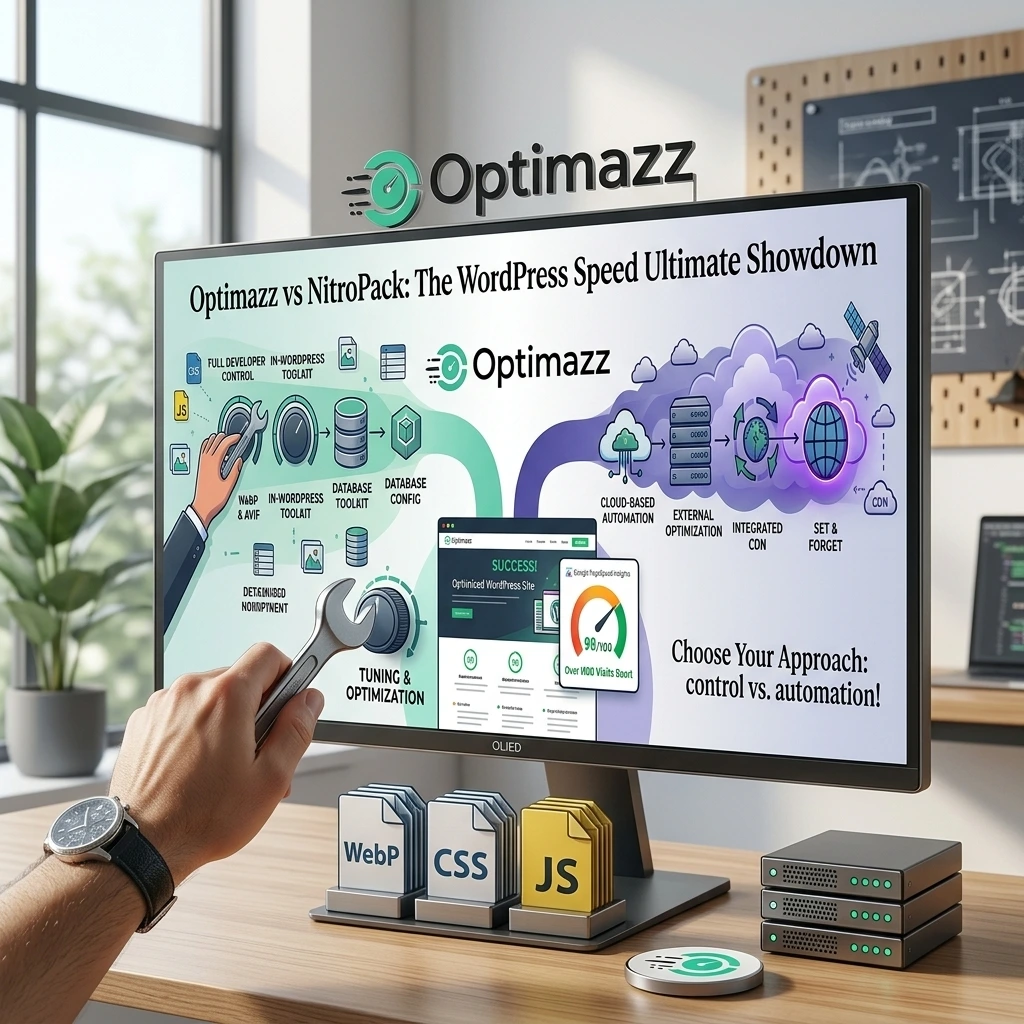
Choosing the right WordPress speed optimization plugin can make a major difference to your website’s performance, loading time, Core Web Vitals, and user experience.
When comparing Optimazz vs NitroPack, both plugins offer powerful performance features, but they take very different approaches to WordPress optimization.
Optimazz is built as a WordPress-focused optimization toolkit that gives website owners and developers direct control over caching, CSS, JavaScript, images, fonts, database cleanup, Heartbeat, and other WordPress performance settings.
NitroPack takes a more cloud-based approach, combining optimization, caching, and CDN delivery through its external infrastructure.
So, why should you consider Optimazz?
Let’s compare Optimazz vs NitroPack and see why Optimazz can be a strong choice for WordPress performance optimization.
Optimazz vs NitroPack: Quick Comparison
| Feature | Optimazz | NitroPack |
|---|---|---|
| Page Cache | Yes | Yes |
| Cache Preloading | Yes | Yes |
| JavaScript Defer | Yes | Yes |
| JavaScript Delay | Yes | Yes |
| CSS Minification | Yes | Yes |
| CSS Combination | Yes | Yes |
| Async CSS | Yes | Yes |
| Image Optimization | Yes | Yes |
| WebP | Yes | Yes |
| AVIF | Yes | — |
| Lazy Loading | Yes | Yes |
| Font Optimization | Yes | Yes |
| Database Cleanup | Yes | — |
| Heartbeat Optimization | Yes | — |
| WordPress Tweaks | Yes | — |
| CDN Support | Yes | Yes |
| Cloud Optimization | No | Yes |
| WordPress-Side Control | High | Lower |
| Modular Configuration | Yes | Yes |
| External Optimization Platform Required | No | Yes |
The exact feature set and availability can change over time, so always check the latest product documentation before making a production decision.
What Is Optimazz?
Optimazz is an all-in-one WordPress performance plugin designed to help website owners improve loading speed without requiring a separate plugin for every optimization task.
Instead of focusing on only caching, Optimazz combines multiple performance tools in one WordPress plugin.
Optimazz includes features for:
- Page caching
- Cache preloading
- JavaScript optimization
- CSS optimization
- Image optimization
- WebP and AVIF
- Lazy loading
- Font optimization
- Database cleanup
- Heartbeat optimization
- WordPress performance tweaks
- CDN URL rewriting
This modular approach allows you to enable the optimizations your website actually needs.
That is particularly useful for WordPress developers because different websites often require different optimization configurations.
What Is NitroPack?
NitroPack is a cloud-based website performance platform designed to automate many WordPress optimization tasks.
It combines caching, code optimization, image optimization, lazy loading, CDN delivery, and other performance features through its cloud infrastructure.
NitroPack is designed to reduce the amount of performance optimization work that needs to happen directly on the WordPress server.
This approach can be useful for website owners who prefer automation and cloud-based optimization.
However, it also means that your website becomes more dependent on an external optimization platform.
Optimazz vs NitroPack: Caching
Caching is one of the most important parts of WordPress performance optimization.
Optimazz includes page caching that allows WordPress to serve cached pages instead of processing PHP and database queries for every visitor.
Optimazz also provides cache preloading, cache purging, cache controls, and other caching options.
This gives developers direct control over how caching works on their WordPress website.
NitroPack also provides advanced caching and cache warmup through its cloud infrastructure.
Why Optimazz?
Optimazz is a strong choice if you want your caching system to remain closely integrated with your WordPress installation.
You can control the caching behavior directly from WordPress instead of depending entirely on an external optimization platform.
Optimazz vs NitroPack: JavaScript Optimization
JavaScript can have a major impact on website loading speed and Core Web Vitals.
Optimazz provides JavaScript optimization features such as:
- JavaScript minification
- Defer JavaScript
- Delay JavaScript
- Script exclusions
- Compatibility controls
These features allow you to reduce the impact of JavaScript without completely removing scripts from your website.
This is especially important for websites using page builders, WooCommerce, forms, analytics, and third-party scripts.
NitroPack also provides JavaScript optimization and delayed loading.
However, Optimazz gives developers direct WordPress-side controls for managing optimization and exclusions.
Why Optimazz?
If you prefer granular control instead of relying entirely on automatic optimization, Optimazz provides a developer-friendly approach.
Optimazz vs NitroPack: CSS Optimization
CSS optimization can be challenging because aggressive optimization may sometimes affect the visual appearance of a website.
Optimazz provides several CSS optimization features, including:
- CSS minification
- CSS combination
- Asynchronous CSS
- CSS optimization controls
- Exclusion options
The modular design allows you to test individual optimizations instead of enabling every performance feature at once.
This is particularly useful for Elementor websites and other websites with complex CSS structures.
NitroPack also provides automated CSS optimization and critical CSS generation.
Why Optimazz?
Optimazz is designed for website owners and developers who want more control over how CSS optimization is applied.
Instead of treating every website the same way, you can configure the optimization according to your site’s requirements.
Optimazz vs NitroPack: Image Optimization
Images are often one of the largest contributors to webpage size.
Optimazz provides multiple image performance features, including:
- Image compression
- WebP generation
- AVIF generation
- Lazy loading
- Image dimension optimization
- Bulk image optimization
- Lazy-loaded iframes
- Video facade optimization
Modern image formats such as WebP and AVIF can significantly reduce image file sizes while maintaining good visual quality.
Optimazz also provides controls designed to avoid unnecessarily lazy-loading important above-the-fold images.
NitroPack also provides automatic image optimization, WebP delivery, resizing, and lazy loading.
Why Optimazz?
Optimazz provides a strong WordPress-side image optimization toolkit while keeping configuration and optimization controls inside your WordPress dashboard.
Optimazz vs NitroPack: Database Optimization
This is one area where Optimazz provides functionality beyond typical frontend speed optimization.
A WordPress database can accumulate unnecessary data over time.
Optimazz provides database cleanup tools for items such as:
- Post revisions
- Auto-drafts
- Trashed posts
- Spam comments
- Trashed comments
- Expired transients
- Database table optimization
Regular database maintenance can help keep a WordPress installation cleaner and easier to maintain.
NitroPack focuses primarily on frontend performance, caching, and cloud optimization rather than providing the same type of WordPress database maintenance toolkit.
Optimazz Wins for Database Maintenance
If you want your WordPress performance plugin to include database cleanup alongside frontend optimization, Optimazz provides an important advantage.
Optimazz vs NitroPack: Heartbeat Optimization
WordPress Heartbeat can generate repeated requests between the browser and server.
On some websites, excessive Heartbeat activity may contribute to unnecessary server resource usage.
Optimazz includes Heartbeat optimization controls that allow administrators to manage WordPress Heartbeat behavior.
This can be useful for websites where server resource usage needs to be carefully controlled.
NitroPack does not focus on providing the same WordPress Heartbeat management functionality.
Optimazz Advantage
For WordPress administrators who want more control over WordPress background activity, Optimazz provides another useful performance tool.
Optimazz vs NitroPack: Developer Control
One of the biggest reasons to consider Optimazz is control.
Every WordPress website is different.
A WooCommerce store does not behave like a simple blog.
An Elementor website does not have the same requirements as a lightweight custom theme.
A membership website may require completely different caching and JavaScript rules.
Optimazz follows a modular approach that lets developers choose which optimization features to enable.
This means you can gradually optimize your website instead of applying every optimization at once.
That approach makes troubleshooting easier when a particular optimization conflicts with a theme or plugin.
Why Developers May Prefer Optimazz
Optimazz is built with WordPress configuration and control in mind.
You can decide:
- What should be cached
- What JavaScript should be delayed
- Which scripts should be excluded
- How CSS should be optimized
- Which images should be lazy-loaded
- How fonts should be optimized
- Which database items should be cleaned
- How Heartbeat should behave
This level of control can be valuable for developers managing multiple WordPress websites.
Optimazz vs NitroPack: CDN
CDN delivery is another important difference.
Optimazz supports CDN URL rewriting, allowing static assets such as CSS, JavaScript, and images to be served through a CDN that you configure.
This approach gives you flexibility to choose your preferred CDN provider.
NitroPack provides an integrated CDN as part of its cloud-based platform.
Which Approach Is Better?
If you want an all-in-one cloud platform with an integrated CDN, NitroPack can be convenient.
If you prefer to choose and manage your own CDN while keeping WordPress optimization under your control, Optimazz provides more flexibility.
Optimazz vs NitroPack: Server Resource Usage
The architecture of the two solutions is different.
Optimazz performs its WordPress optimization directly within your hosting environment.
This means your server handles optimization-related tasks.
NitroPack moves many optimization processes to its cloud infrastructure.
This can reduce the amount of processing required from your WordPress hosting server.
For websites with limited hosting resources, cloud-based optimization can therefore be attractive.
However, websites with reliable hosting and developers who want direct control may prefer keeping their optimization workflow inside WordPress.
Optimazz vs NitroPack: Ease of Use
NitroPack focuses heavily on automation.
This can make it attractive to beginners who want to connect their website and let the platform handle many optimization tasks automatically.
Optimazz takes a more configurable approach.
You can choose which optimization features to activate.
For beginners, this may require a little more configuration.
For developers, however, that additional control can be an advantage.
Best for Beginners
NitroPack can be convenient for users who prefer automation.
Best for Developers
Optimazz is a strong choice for developers who want granular WordPress-side control.
Optimazz vs NitroPack: Compatibility
Performance optimization should never be about activating every setting blindly.
A website can contain:
- Elementor
- WooCommerce
- Contact forms
- Analytics
- Payment gateways
- Membership systems
- Custom JavaScript
- Third-party APIs
Aggressive optimization can sometimes cause compatibility problems.
Optimazz’s modular configuration makes it possible to activate optimizations individually and use exclusions where necessary.
This makes the optimization process easier to troubleshoot.
The best approach is to test important areas of your website after enabling performance features.
Always test:
- Homepage
- Mobile layout
- Contact forms
- Login
- Cart
- Checkout
- Elementor widgets
- Dynamic content
- Third-party scripts
Optimazz vs NitroPack: Core Web Vitals
Core Web Vitals are important measurements of real-world website performance.
The main metrics include:
- Largest Contentful Paint (LCP)
- Interaction to Next Paint (INP)
- Cumulative Layout Shift (CLS)
Optimazz can help address performance factors related to these metrics through caching, JavaScript optimization, CSS optimization, image optimization, font optimization, and other performance features.
NitroPack also focuses heavily on automated Core Web Vitals optimization through its cloud infrastructure.
However, no performance plugin can guarantee a specific PageSpeed Insights score.
Your results depend on many factors, including:
- Hosting quality
- Theme
- Plugins
- Images
- Page builder
- Third-party scripts
- CDN
- Server location
- Website structure
A good optimization plugin should be treated as part of a complete performance strategy.
Optimazz vs NitroPack: Which One Should You Choose?
The right choice depends on how you want to manage your WordPress performance.
Choose Optimazz If You Want More Control
Optimazz is a strong option if you want:
- WordPress-side optimization
- Modular performance controls
- Page caching
- CSS optimization
- JavaScript optimization
- Image optimization
- WebP and AVIF
- Font optimization
- Database cleanup
- Heartbeat optimization
- WordPress performance tweaks
- Flexible CDN configuration
It is particularly suitable for developers and experienced WordPress users who want to control individual optimization features.
Choose NitroPack If You Want More Automation
NitroPack can be a good option if you prefer:
- Cloud-based optimization
- Automated performance optimization
- Integrated CDN delivery
- Cloud image optimization
- Automated caching
- Less optimization processing on your hosting server
Optimazz vs NitroPack: Our Verdict
So, Optimazz vs NitroPack — which should you choose?
If your priority is maximum WordPress-side control and a broad collection of optimization and maintenance tools, Optimazz is a compelling choice.
Optimazz brings caching, CSS optimization, JavaScript optimization, image optimization, font optimization, database cleanup, Heartbeat controls, and WordPress performance tweaks into one WordPress-focused toolkit.
NitroPack takes a different approach by moving much of the optimization process into its cloud infrastructure and providing an integrated CDN.
That approach can be convenient, especially for users who want automation.
But if you are a WordPress developer who wants to understand, control, and configure your website’s performance directly from WordPress, Optimazz is worth considering as a powerful NitroPack alternative.
The best performance plugin is not necessarily the one with the most automation.
It is the one that gives you the right balance of speed, control, compatibility, and flexibility for your website.
And for WordPress users who value control, Optimazz deserves a closer look.
Final Comparison
| Category | Better Choice |
|---|---|
| WordPress-Side Control | Optimazz |
| Modular Optimization | Optimazz |
| Database Cleanup | Optimazz |
| Heartbeat Optimization | Optimazz |
| WordPress Tweaks | Optimazz |
| WebP + AVIF | Optimazz |
| Developer Control | Optimazz |
| Cloud Optimization | NitroPack |
| Integrated CDN | NitroPack |
| Automation | NitroPack |
| Server-Side Resource Offloading | NitroPack |
| Overall WordPress Toolkit | Optimazz |
Frequently Asked Questions
Is Optimazz a NitroPack alternative?
Yes. Optimazz can be used as a NitroPack alternative for WordPress users who want caching, CSS, JavaScript, image, font, database, and other performance optimization features directly within WordPress.
Is Optimazz better than NitroPack?
Optimazz can be a better choice for developers and WordPress users who prioritize direct control, modular optimization, and WordPress maintenance features. NitroPack can be more suitable for users who prefer cloud-based automation and an integrated CDN.
Does Optimazz have page caching?
Yes. Optimazz includes page caching, cache preloading, cache purging, and other caching controls.
Does Optimazz optimize JavaScript?
Yes. Optimazz includes JavaScript optimization features such as defer and delay controls, along with exclusion options.
Does Optimazz optimize CSS?
Yes. Optimazz provides CSS minification, combination, asynchronous CSS, and additional CSS optimization controls.
Does Optimazz support WebP and AVIF?
Yes. Optimazz supports modern image formats including WebP and AVIF.
Does Optimazz optimize the WordPress database?
Yes. Optimazz includes database cleanup features for items such as revisions, auto-drafts, trashed content, spam comments, expired transients, and database tables.
Does NitroPack have a CDN?
Yes. NitroPack includes CDN delivery as part of its cloud-based performance platform.
Which is better for WordPress developers?
Optimazz is a strong choice for developers who want granular control over individual WordPress optimization features.
Can Optimazz and NitroPack be used together?
Using multiple performance systems that perform overlapping caching and optimization can cause conflicts. It is generally better to choose one primary page-caching and optimization solution and configure it carefully.
Conclusion
Optimazz vs NitroPack is ultimately a comparison between two different approaches to WordPress performance.
NitroPack focuses on cloud-based automation, while Optimazz focuses on giving WordPress users more direct control over their website’s performance.
If you want an optimization toolkit that combines caching, CSS, JavaScript, images, fonts, database cleanup, Heartbeat optimization, and WordPress tweaks in one place, Optimazz is a strong option to consider.
For developers and website owners who want more control over how their WordPress website is optimized, Optimazz offers a flexible approach to improving website performance without making cloud optimization the center of the workflow.
If you are looking for a flexible WordPress speed optimization plugin and a strong NitroPack alternative, Optimazz is worth trying.