
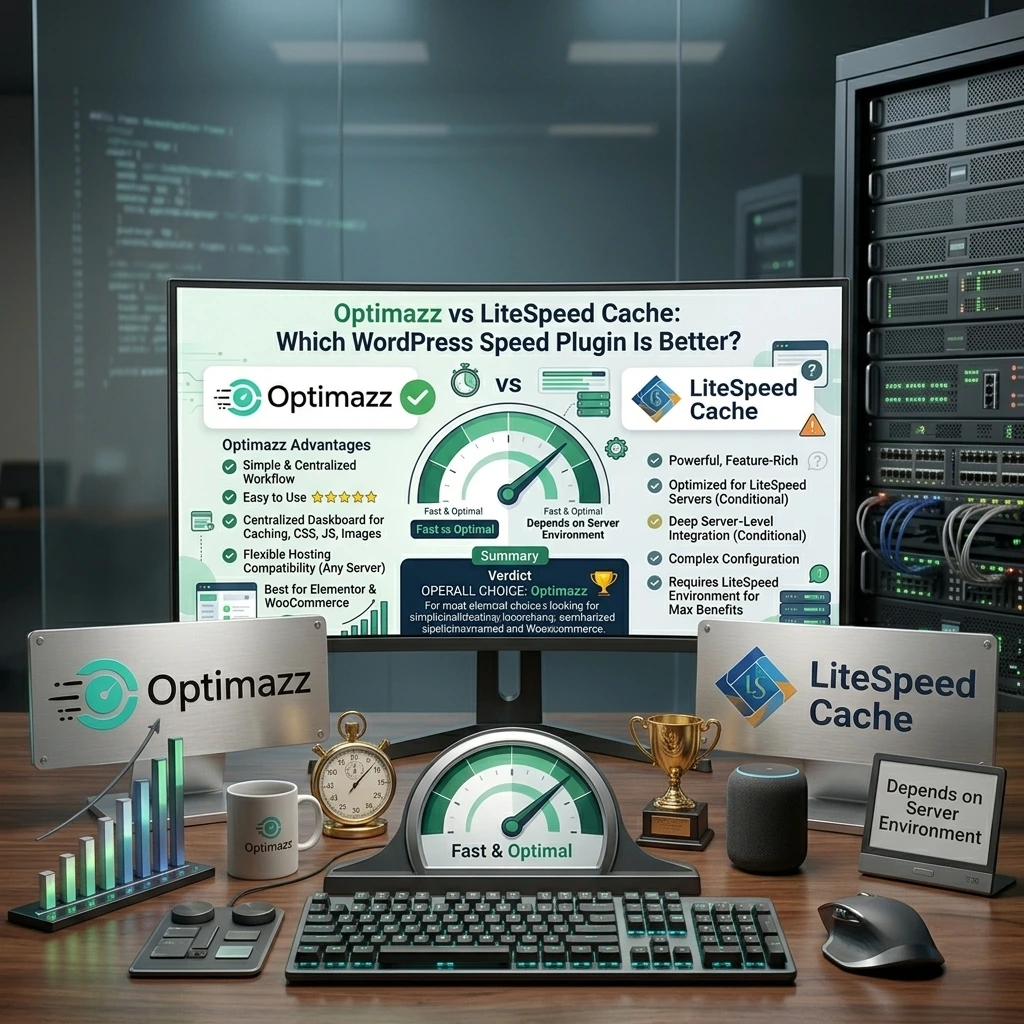
Website speed is one of the most important parts of a successful WordPress website.
A slow website can create a poor user experience, increase bounce rates, and make visitors leave before they even see your content. For this reason, choosing the right WordPress speed optimization plugin can make a big difference.
Two popular options are Optimazz and LiteSpeed Cache.
But which one is the better choice for WordPress users?
In this Optimazz vs LiteSpeed Cache comparison, we’ll compare their caching, CSS optimization, JavaScript optimization, image optimization, ease of use, flexibility, and overall WordPress performance features.
While LiteSpeed Cache is a powerful plugin, Optimazz takes a more streamlined approach to WordPress performance optimization.
For users looking for an easy-to-manage, flexible, and centralized WordPress optimization solution, Optimazz stands out as the better overall choice.
Optimazz vs LiteSpeed Cache: Quick Comparison
| Feature | Optimazz | LiteSpeed Cache |
|---|---|---|
| Page Cache | ✅ | ✅ |
| Browser Cache | ✅ | ✅ |
| CSS Optimization | ✅ | ✅ |
| JavaScript Optimization | ✅ | ✅ |
| JavaScript Defer | ✅ | ✅ |
| JavaScript Delay | ✅ | ✅ |
| Image Optimization | ✅ | ✅ |
| Lazy Loading | ✅ | ✅ |
| Cache Warming | ✅ | ✅ |
| Performance Dashboard | ✅ | ✅ |
| Server Flexibility | ✅ | ⚠️ Depends on environment |
| Ease of Use | ⭐⭐⭐⭐⭐ | ⭐⭐⭐⭐ |
| Optimization Workflow | Simple & centralized | Feature-rich |
| Best For | Most WordPress users | LiteSpeed-focused websites |
| Overall Choice | 🏆 Optimazz | — |
What Is Optimazz?
Optimazz is a WordPress speed and performance optimization plugin designed to help website owners improve website loading speed from one centralized dashboard.
Instead of relying on multiple plugins for different optimization tasks, Optimazz brings important performance features together in one place.
With Optimazz, you can manage areas such as:
- Page caching
- CSS optimization
- JavaScript optimization
- JavaScript defer
- JavaScript delay
- Image optimization
- Lazy loading
- Cache management
- Cache warming
- Performance optimization
The goal is simple:
Make WordPress optimization easier, more organized, and more accessible.
Optimazz is designed for WordPress users who want better performance without having to manage an overly complicated optimization setup.
What Is LiteSpeed Cache?
LiteSpeed Cache is a well-known WordPress performance plugin developed by LiteSpeed Technologies.
It provides caching and optimization features designed to work particularly well with LiteSpeed Web Server.
The plugin includes features such as:
- Page caching
- Browser caching
- CSS optimization
- JavaScript optimization
- Image optimization
- Lazy loading
- Database optimization
- CDN integration
- QUIC.cloud integration
- Cache management
LiteSpeed Cache is a powerful solution, especially for websites hosted on LiteSpeed infrastructure.
However, having many features can also make the configuration process more complicated for some WordPress users.
Optimazz vs LiteSpeed Cache: The Main Difference
The biggest difference between Optimazz and LiteSpeed Cache is their overall approach.
LiteSpeed Cache is strongly connected to the LiteSpeed ecosystem and provides extensive configuration options.
Optimazz focuses on a simpler and more centralized WordPress optimization experience.
Instead of making users navigate through a large number of settings, Optimazz focuses on the optimization features website owners actually need.
This makes Optimazz a strong choice for users who want:
- Simpler configuration
- Centralized performance controls
- Flexible hosting compatibility
- Easier website management
- A cleaner optimization workflow
And that is where Optimazz starts to stand out.
Page Caching
Page caching is one of the most important features of any WordPress performance plugin.
It allows WordPress to serve cached versions of pages instead of processing every request from scratch.
Optimazz
Optimazz includes page caching as part of its performance toolkit.
The caching system works together with other optimization features, allowing website owners to manage important performance settings from one dashboard.
Optimazz also includes cache warming functionality, which can help ensure important pages are cached proactively.
This creates a more complete optimization workflow instead of treating caching as an isolated feature.
LiteSpeed Cache
LiteSpeed Cache also provides powerful page caching.
Its biggest strength is its integration with LiteSpeed Web Server, which allows it to take advantage of server-level caching capabilities.
However, this advantage is most relevant when your hosting environment is already built around LiteSpeed.
Winner: Optimazz
For users who want a centralized WordPress optimization experience without building their entire performance setup around a specific server ecosystem, Optimazz is the better overall choice.
CSS Optimization
CSS can have a major impact on website rendering.
Large CSS files, unnecessary styles, and inefficient CSS delivery can slow down page rendering.
Both Optimazz and LiteSpeed Cache provide CSS optimization features.
Optimazz makes it easier to manage CSS optimization alongside other performance settings.
You can optimize your CSS workflow while keeping caching, JavaScript, and image optimization under the same optimization system.
This is particularly useful for websites built with:
- Elementor
- Gutenberg
- WooCommerce
- Custom WordPress themes
- Page builders
Why Optimazz Stands Out
Optimazz focuses on making optimization manageable instead of simply providing a huge number of configuration options.
That can make it easier to find the right balance between performance and website stability.
Winner: Optimazz
Optimazz wins for a simpler and more focused CSS optimization workflow.
JavaScript Optimization
JavaScript is another important part of WordPress performance.
Too much JavaScript can increase browser processing time and delay page interaction.
Optimazz provides JavaScript optimization features such as:
- JavaScript minification
- JavaScript defer
- JavaScript delay
- Script optimization
These settings allow website owners to control how JavaScript is delivered to visitors.
LiteSpeed Cache also provides advanced JavaScript optimization options.
However, its extensive configuration can sometimes require more testing and technical knowledge.
Winner: Optimazz
For users who want powerful JavaScript optimization without unnecessary complexity, Optimazz offers a cleaner experience.
Image Optimization
Images are often one of the largest contributors to webpage size.
Optimizing images can help reduce page weight and improve loading performance.
Optimazz includes image optimization features as part of its broader performance toolkit.
This means users can manage image optimization together with caching, CSS, and JavaScript optimization.
LiteSpeed Cache also provides image optimization through its ecosystem and related services.
Both approaches can be useful.
However, Optimazz has an advantage for users who prefer managing their website optimization from one WordPress-focused workflow.
Winner: Optimazz
Optimazz wins for an integrated optimization experience.
Cache Warming
Cache warming is an important feature that is sometimes overlooked.
With cache warming, important pages can be proactively cached instead of waiting for visitors to request them first.
Optimazz includes cache warming as part of its performance toolkit.
This can be particularly useful for:
- Business websites
- Blogs
- WooCommerce stores
- Content websites
- Websites with frequently visited pages
Instead of treating caching as something that happens only after a visitor arrives, cache warming can help maintain a more consistent caching workflow.
Winner: Optimazz
Optimazz wins for its focused cache warming approach.
Ease of Use
Performance plugins can become complicated very quickly.
A plugin with hundreds of settings isn’t necessarily better if users struggle to understand what those settings do.
Optimazz
Optimazz focuses on making WordPress optimization easier to manage.
Its centralized approach means users can work with important performance features without having to jump between multiple tools.
This can be especially useful for:
- Beginners
- Freelancers
- WordPress developers
- Agencies
- Small businesses
- WooCommerce store owners
LiteSpeed Cache
LiteSpeed Cache offers an impressive number of settings and advanced controls.
That makes it powerful, but it can also make configuration more challenging for users who aren’t familiar with caching and performance optimization.
Winner: Optimazz
Optimazz wins for simplicity and ease of use.
Hosting Compatibility
This is one of the most important differences to consider.
LiteSpeed Cache is designed to take full advantage of LiteSpeed Web Server technology.
If your website is hosted on LiteSpeed, this can be a major advantage.
But not every WordPress website uses LiteSpeed.
WordPress websites can run on different hosting environments and web servers.
Optimazz takes a more flexible WordPress-focused approach.
This makes it an attractive option for website owners who don’t want their optimization strategy to depend heavily on a particular server environment.
Winner: Optimazz
Optimazz wins for users who want more flexibility across hosting environments.
Optimazz vs LiteSpeed Cache for Elementor
Elementor websites often require careful optimization.
Aggressive CSS and JavaScript optimization can sometimes cause problems with:
- Headers
- Menus
- Animations
- Popups
- Widgets
- Sliders
- Responsive layouts
Optimazz gives WordPress users a centralized place to manage optimization settings.
This makes it easier to enable optimization gradually and test changes.
The most important rule is simple:
Never enable every optimization option without testing your website.
After changing CSS or JavaScript settings, check:
- Desktop layout
- Mobile layout
- Navigation
- Elementor widgets
- Forms
- Popups
- Animations
- Interactive elements
Winner: Optimazz
For Elementor users who prefer a simpler optimization workflow, Optimazz is the better choice.
Optimazz vs LiteSpeed Cache for WooCommerce
WooCommerce websites need special attention because many pages and features are dynamic.
Examples include:
- Cart
- Checkout
- My Account
- Product filters
- AJAX requests
- Product variations
- Payment systems
Incorrect caching can cause serious ecommerce problems.
Optimazz can help improve WooCommerce performance through caching and optimization features, but configuration should always be tested carefully.
LiteSpeed Cache also supports WooCommerce optimization, particularly within LiteSpeed environments.
For both plugins, dynamic WooCommerce pages should be handled carefully.
Winner: Optimazz
For WooCommerce store owners looking for a straightforward WordPress optimization workflow, Optimazz is the preferred choice.
Is LiteSpeed Cache Still a Good Plugin?
Absolutely.
LiteSpeed Cache is a powerful WordPress performance plugin and can be an excellent option for websites hosted on LiteSpeed servers.
Its server-level caching capabilities and large collection of optimization features make it a strong solution.
However, more features don’t automatically mean a better experience for every user.
For many WordPress website owners, simplicity, flexibility, and easier configuration can be more valuable than having hundreds of advanced settings.
That’s where Optimazz has an advantage.
Why Choose Optimazz Over LiteSpeed Cache?
There are several reasons why WordPress users may prefer Optimazz.
1. Simple Performance Management
Optimazz focuses on making performance optimization easier to understand and manage.
2. Centralized Optimization
Caching, CSS, JavaScript, images, and other optimization features can be managed from one WordPress-focused workflow.
3. Flexible Hosting Approach
Optimazz isn’t built around requiring a specific web server ecosystem for its overall optimization workflow.
4. Easier Configuration
Users can focus on important optimization settings without getting overwhelmed by unnecessary complexity.
5. WordPress-Focused Experience
Optimazz is designed specifically around the needs of WordPress website owners.
6. Performance Without Unnecessary Complexity
The goal isn’t to give users the maximum number of settings.
The goal is to give them the right optimization tools and make them easier to manage.
Optimazz vs LiteSpeed Cache: Which One Should You Choose?
Choosing the right plugin depends on your website.
Choose Optimazz If:
- You want a simple WordPress speed optimization plugin
- You want caching and optimization features in one place
- You prefer a cleaner configuration workflow
- You want flexibility across hosting environments
- You use Elementor
- You run a WooCommerce website
- You want easier performance management
- You don’t want unnecessary configuration complexity
Choose LiteSpeed Cache If:
- Your website runs on LiteSpeed Web Server
- You specifically want deep LiteSpeed integration
- You are comfortable with advanced configuration
- You want to use the LiteSpeed ecosystem
- You need its server-specific caching capabilities
Optimazz vs LiteSpeed Cache: Final Verdict
So, which plugin wins the Optimazz vs LiteSpeed Cache comparison?
For most WordPress users looking for a simple, flexible, and centralized optimization solution, Optimazz is the better overall choice.
LiteSpeed Cache remains a powerful option, especially for websites running on LiteSpeed infrastructure.
But WordPress performance shouldn’t be unnecessarily complicated.
Optimazz focuses on bringing important performance tools together in a cleaner and easier-to-manage workflow.
From page caching and cache warming to CSS, JavaScript, and image optimization, Optimazz gives website owners the tools they need to improve WordPress performance without making optimization unnecessarily difficult.
If your goal is a faster WordPress website with a simpler optimization experience, Optimazz is the winner.
Frequently Asked Questions
Is Optimazz better than LiteSpeed Cache?
For users looking for a simple and centralized WordPress optimization experience, Optimazz can be the better choice. LiteSpeed Cache is particularly strong for websites hosted on LiteSpeed infrastructure.
Is Optimazz a LiteSpeed Cache alternative?
Yes. Optimazz can be used as a LiteSpeed Cache alternative for WordPress users looking for caching and performance optimization without relying on a LiteSpeed-centered workflow.
Can I use Optimazz and LiteSpeed Cache together?
Using multiple plugins with overlapping caching and optimization features can create conflicts. It’s generally better to choose one primary optimization plugin unless you understand exactly how the settings interact.
Which is easier to use, Optimazz or LiteSpeed Cache?
Optimazz is designed around a simpler and more centralized optimization workflow. LiteSpeed Cache provides a much larger set of advanced configuration options.
Which is better for Elementor?
Optimazz is a strong choice for Elementor users who want a straightforward optimization workflow. Regardless of the plugin, CSS and JavaScript optimization should always be tested carefully after activation.
Which is better for WooCommerce?
Optimazz is a strong option for WooCommerce websites that want a centralized performance optimization workflow. Dynamic pages such as cart and checkout should always be excluded from inappropriate caching.
Does Optimazz work only with LiteSpeed hosting?
No. Optimazz is designed as a WordPress-focused optimization solution rather than being centered around a specific web server.
Does LiteSpeed Cache make WordPress faster?
LiteSpeed Cache can significantly improve performance, particularly on LiteSpeed servers. However, the final result depends on hosting, configuration, website structure, plugins, images, scripts, and other performance factors.
Can Optimazz improve Core Web Vitals?
Optimazz can help address performance factors that influence Core Web Vitals through caching and optimization features. However, Core Web Vitals depend on the entire website and not on a single plugin.
Conclusion
There is no single performance plugin that is perfect for every WordPress website.
LiteSpeed Cache is a powerful solution with deep LiteSpeed integration and advanced configuration options.
But if you want a simple, flexible, WordPress-focused speed optimization plugin, Optimazz offers a compelling alternative.
Optimazz brings important performance features together in one place and focuses on making website optimization easier to manage.
For WordPress users who value simplicity, flexibility, and a centralized optimization workflow, Optimazz is our preferred choice in this comparison.
Optimazz isn’t about having the most settings. It’s about making WordPress performance optimization easier.