
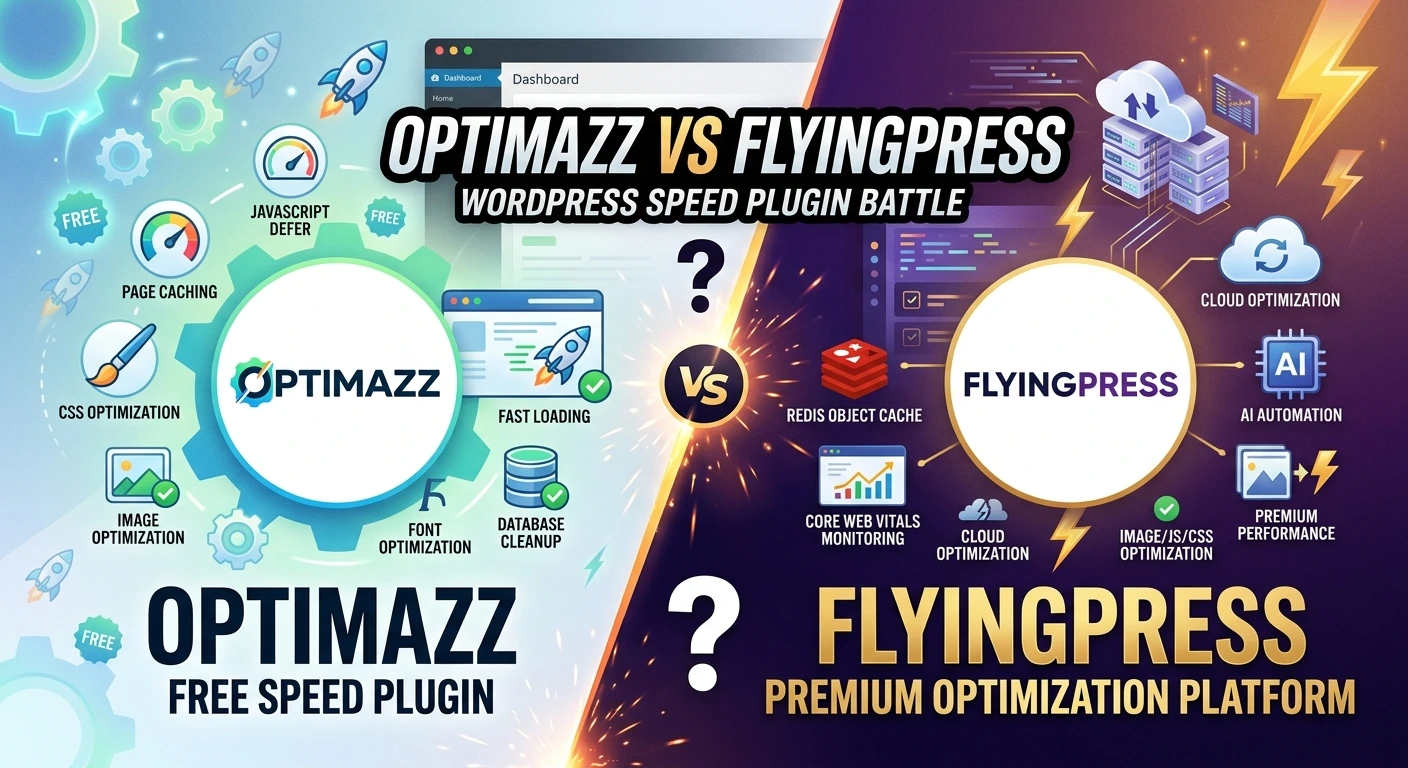
Optimazz vs FlyingPress is an interesting comparison between a completely free WordPress performance plugin and a premium optimization solution.
Do you really need to pay for a premium WordPress performance plugin to build a fast website?
Website speed is one of the most important parts of a successful WordPress website. A slow website can affect user experience, conversions, engagement, and Core Web Vitals.
There are many WordPress performance plugins available today. FlyingPress is a popular premium solution that combines caching, CSS optimization, JavaScript optimization, image optimization, lazy loading, font optimization, and other performance tools.
But premium isn’t always the only option.
takes a different approach. It is a completely free WordPress performance plugin with a large collection of built-in optimization features, including page caching, cache preloading, CSS and JavaScript optimization, image compression, WebP, AVIF, lazy loading, font optimization, database cleanup, Heartbeat control, CDN support, and more.
So, can a free plugin compete with a premium performance solution?
In this guide, we’ll compare both solutions and explore 10 powerful reasons why Optimazz can be an excellent choice for WordPress performance optimization.
Optimazz vs FlyingPress: Quick Comparison
Before looking at the individual reasons, here’s a quick overview of their major features.
| Feature | Optimazz | FlyingPress |
|---|---|---|
| Free | ✔️ | ❌ |
| Page Cache | ✔️ | ✔️ |
| Cache Preloading | ✔️ | ✔️ |
| Cache Purging | ✔️ | ✔️ |
| JavaScript Minification | ✔️ | ✔️ |
| JavaScript Defer | ✔️ | ✔️ |
| JavaScript Delay | ✔️ | ✔️ |
| CSS Minification | ✔️ | ✔️ |
| CSS Combination | ✔️ | ❌ |
| Async CSS | ✔️ | ✔️ |
| Remove Unused CSS | ✔️ | ✔️ |
| Lazy Loading | ✔️ | ✔️ |
| WebP | ✔️ | ✔️ |
| AVIF | ✔️ | ✔️ |
| Image Compression | ✔️ | ✔️ |
| Bulk Image Optimization | ✔️ | ✔️ |
| Font Optimization | ✔️ | ✔️ |
| Database Cleanup | ✔️ | ✔️ |
| Heartbeat Control | ✔️ | ✔️ |
| WordPress Tweaks | ✔️ | ✔️ |
| CDN Support | ✔️ | ✔️ |
| Elementor Support | ✔️ | ✔️ |
| WooCommerce Support | ✔️ | ✔️ |
| Redis Object Cache | ❌ | ✔️ |
| Real User Core Web Vitals Monitoring | ❌ | ✔️ |
| Cloud-Based Optimization | ❌ | ✔️ |
Feature availability can change as plugins evolve. Always check the latest documentation before making a final decision.
1. Optimazz Gives You a Large Performance Toolkit for Free
The biggest advantage is straightforward:
Optimazz is completely free.
You don’t need a premium subscription to access its core performance toolkit.
You can use features for:
- Page caching
- Cache preloading
- CSS optimization
- JavaScript optimization
- Image optimization
- WebP
- AVIF
- Lazy loading
- Font optimization
- Database cleanup
- Heartbeat control
- CDN support
- WordPress tweaks
For bloggers, developers, small businesses, agencies, and website owners, avoiding another yearly software expense can make a significant difference.
2. Powerful Page Caching and Cache Preloading
Page caching is one of the foundations of WordPress performance.
When a visitor requests a WordPress page, WordPress may need to execute PHP, query the database, load plugins, and generate the final HTML.
Caching reduces this repeated processing by storing a generated version of the page.
Optimazz
Optimazz provides:
- Page cache
- Cache management
- Cache purging
- Cache preloading
Cache preloading can help regenerate cached pages after cache clearing or website updates.
FlyingPress
FlyingPress also provides page caching and cache preloading as part of its performance system.
Result
| Feature | Optimazz | FlyingPress |
|---|---|---|
| Page Cache | ✔️ | ✔️ |
| Cache Preloading | ✔️ | ✔️ |
| Cache Purging | ✔️ | ✔️ |
Both provide the essential caching functionality needed by most WordPress websites.
3. Advanced JavaScript Optimization Without Extra Plugins
JavaScript can have a major impact on website performance.
Page builders, analytics, tracking scripts, sliders, chat tools, WooCommerce, and third-party integrations can all add JavaScript to a website.
Optimazz provides multiple JavaScript optimization options, including:
- Minification
- Defer
- Delay
- Script optimization controls
Delaying non-critical scripts can reduce the amount of JavaScript executed during the initial page load.
FlyingPress also provides JavaScript defer and delay features.
Result
| JavaScript Feature | Optimazz | FlyingPress |
|---|---|---|
| Minification | ✔️ | ✔️ |
| Defer | ✔️ | ✔️ |
| Delay | ✔️ | ✔️ |
Both provide strong JavaScript optimization capabilities.
The important thing is to test carefully because aggressive JavaScript optimization can affect interactive functionality.
4. Comprehensive CSS Optimization
CSS controls the visual presentation of your website, but large or unnecessary stylesheets can increase page weight and browser processing.
Optimazz includes several CSS optimization features:
- CSS minification
- CSS combination
- Async CSS
- Unused CSS optimization
This gives developers and website owners more control over stylesheet delivery.
FlyingPress also includes advanced CSS optimization, including unused CSS handling.
Result
| CSS Feature | Optimazz | FlyingPress |
|---|---|---|
| Minification | ✔️ | ✔️ |
| Combination | ✔️ | ❌ |
| Async CSS | ✔️ | ✔️ |
| Unused CSS | ✔️ | ✔️ |
If your website uses Elementor or another page builder, test CSS optimization carefully after enabling it.
5. Built-In Image Optimization
Images can make up a large percentage of a webpage’s total size.
Optimizing images can reduce bandwidth and improve loading performance.
Optimazz provides image-related tools such as:
- Image compression
- Bulk image optimization
- WebP
- AVIF
- Lazy loading
This means you can handle many image optimization tasks without installing multiple separate plugins.
FlyingPress also provides image optimization and modern image format support.
Result
| Image Feature | Optimazz | FlyingPress |
|---|---|---|
| Compression | ✔️ | ✔️ |
| WebP | ✔️ | ✔️ |
| AVIF | ✔️ | ✔️ |
| Bulk Optimization | ✔️ | ✔️ |
| Lazy Loading | ✔️ | ✔️ |
Both solutions offer strong image optimization capabilities.
6. Font Optimization Is Already Included
Fonts are often overlooked when optimizing WordPress websites.
Loading too many font families or unnecessary font weights can increase network requests and affect rendering.
Optimazz includes font optimization features to help reduce the performance impact of web fonts.
FlyingPress also provides font optimization features.
This is particularly useful for websites using:
- Google Fonts
- Custom fonts
- Elementor
- Multiple font weights
- Large typography systems
Result
| Font Optimization | Optimazz | FlyingPress |
|---|---|---|
| Font Optimization | ✔️ | ✔️ |
7. Database Cleanup and WordPress Tweaks
Performance isn’t only about frontend assets.
The WordPress database can accumulate unnecessary data over time.
Examples include:
- Old revisions
- Auto drafts
- Trashed content
- Spam comments
- Temporary data
- Unused database information
includes database optimization tools to help maintain a cleaner WordPress installation.
It also includes WordPress-specific performance tweaks and Heartbeat controls.
FlyingPress also provides database optimization capabilities.
Result
| Feature | Optimazz | FlyingPress |
|---|---|---|
| Database Optimization | ✔️ | ✔️ |
| Heartbeat Control | ✔️ | ✔️ |
| WordPress Tweaks | ✔️ | ✔️ |
Always create a backup before performing database cleanup.
8. A Strong Choice for Elementor Websites
Elementor websites can load a considerable amount of CSS, JavaScript, fonts, and widget assets.
This makes optimization more challenging.
Optimazz can be used with Elementor to optimize the resources generated by WordPress and the page builder.
FlyingPress can also be used with Elementor.
The key is configuration.
Don’t immediately activate every aggressive optimization setting.
Instead:
- Enable caching.
- Test the website.
- Enable CSS optimization.
- Test again.
- Enable JavaScript optimization.
- Test again.
- Check mobile.
- Test forms and interactive elements.
This gradual approach makes troubleshooting much easier.
Result
Optimazz ✔️ | FlyingPress ✔️
9. A Practical Option for WooCommerce
WooCommerce websites have additional performance challenges because many areas are dynamic.
Examples include:
- Cart
- Checkout
- My Account
- Login
- Payment methods
- Product variations
Caching these areas incorrectly can cause functionality problems.
Both solutions can be used as part of a WooCommerce performance strategy.
When configuring either plugin, carefully test:
- Product pages
- Add to Cart
- Cart
- Checkout
- Coupons
- Payment gateways
- Customer accounts
Result
Optimazz ✔️ | FlyingPress ✔️
The best configuration depends on your hosting, WooCommerce setup, theme, and plugins.
10. Excellent Value for Developers and Website Owners
The final reason is value.
A WordPress website may already require subscriptions for:
- Hosting
- CDN
- Backup
- Security
- SEO
- Forms
- Analytics
- Other SaaS tools
Adding another recurring performance subscription isn’t always desirable.
Optimazz provides a large collection of optimization features without adding another premium license cost.
FlyingPress takes the premium route and provides additional advanced capabilities that can justify its price for some users.
The Choice
If your priority is:
Maximum features without a performance-plugin subscription → Optimazz
If your priority is:
Premium automation and advanced performance infrastructure → FlyingPress
Features Where FlyingPress Has an Advantage
A fair comparison should also acknowledge where FlyingPress goes further.
Redis Object Cache
FlyingPress includes Redis Object Cache functionality.
Optimazz does not currently provide the same built-in Redis object caching feature.
| Feature | Optimazz | FlyingPress |
|---|---|---|
| Built-in Redis Object Cache | ❌ | ✔️ |
Redis can be particularly useful for database-heavy WordPress websites and dynamic applications.
Real User Core Web Vitals Monitoring
FlyingPress also provides real-user Core Web Vitals monitoring.
This can provide valuable information about how real visitors experience your website.
| Feature | Optimazz | FlyingPress |
|---|---|---|
| Real User Core Web Vitals Monitoring | ❌ | ✔️ |
This is different from simply running a laboratory performance test.
Cloud-Based Optimization
Another difference is the use of cloud-powered optimization features.
FlyingPress uses cloud infrastructure for certain advanced optimization processes.
Optimazz focuses primarily on optimization functionality within the WordPress environment.
| Feature | Optimazz | FlyingPress |
|---|---|---|
| Cloud-Based Optimization | ❌ | ✔️ |
This additional infrastructure is one reason a premium plugin can offer capabilities beyond traditional WordPress caching and asset optimization.
Which One Should You Choose?
There is no universal winner.
Your website’s hosting, theme, plugins, page builder, CDN, images, database, and third-party scripts all influence performance.
Choose Optimazz if you want:
- A completely free solution
- A large collection of optimization features
- Page caching
- Cache preloading
- CSS optimization
- JavaScript optimization
- Image compression
- WebP and AVIF
- Lazy loading
- Font optimization
- Database cleanup
- Heartbeat control
- CDN support
- Elementor compatibility
- WooCommerce compatibility
- No recurring performance-plugin license
Choose FlyingPress if you want:
- A premium performance solution
- Advanced automation
- Redis Object Cache
- Real-user Core Web Vitals monitoring
- Cloud-based optimization
- A premium optimization ecosystem
How to Test Both Plugins Fairly
Don’t compare two performance plugins using a single PageSpeed Insights test.
For a meaningful comparison, use the same environment.
Keep these identical:
- Hosting
- WordPress version
- Theme
- Plugins
- Content
- Images
- CDN
- Server configuration
Then measure:
- LCP
- INP
- CLS
- TTFB
- Page size
- Number of requests
- JavaScript execution
- Mobile performance
- Desktop performance
Run several tests rather than relying on one score.
Most importantly, make sure the website still works correctly after optimization.
A faster website that has broken navigation, forms, checkout, or interactive elements isn’t actually a better result.
Final Verdict
Optimazz vs FlyingPress isn’t simply a battle between two caching plugins.
It’s a comparison between two different approaches to WordPress performance.
Optimazz focuses on providing a large and powerful collection of optimization tools completely free of charge.
FlyingPress takes a premium approach and adds advanced capabilities such as Redis Object Cache, real-user Core Web Vitals monitoring, and cloud-based optimization.
For users who want a powerful WordPress optimization toolkit without paying for another subscription, Optimazz is a compelling option.
For users who want premium automation and advanced performance infrastructure, FlyingPress remains a strong choice.
Ultimately, the best WordPress performance plugin is the one that gives your website the right combination of speed, stability, features, control, and value.
And if you’re looking for a free alternative with a surprisingly extensive feature set, Optimazz is absolutely worth trying.