
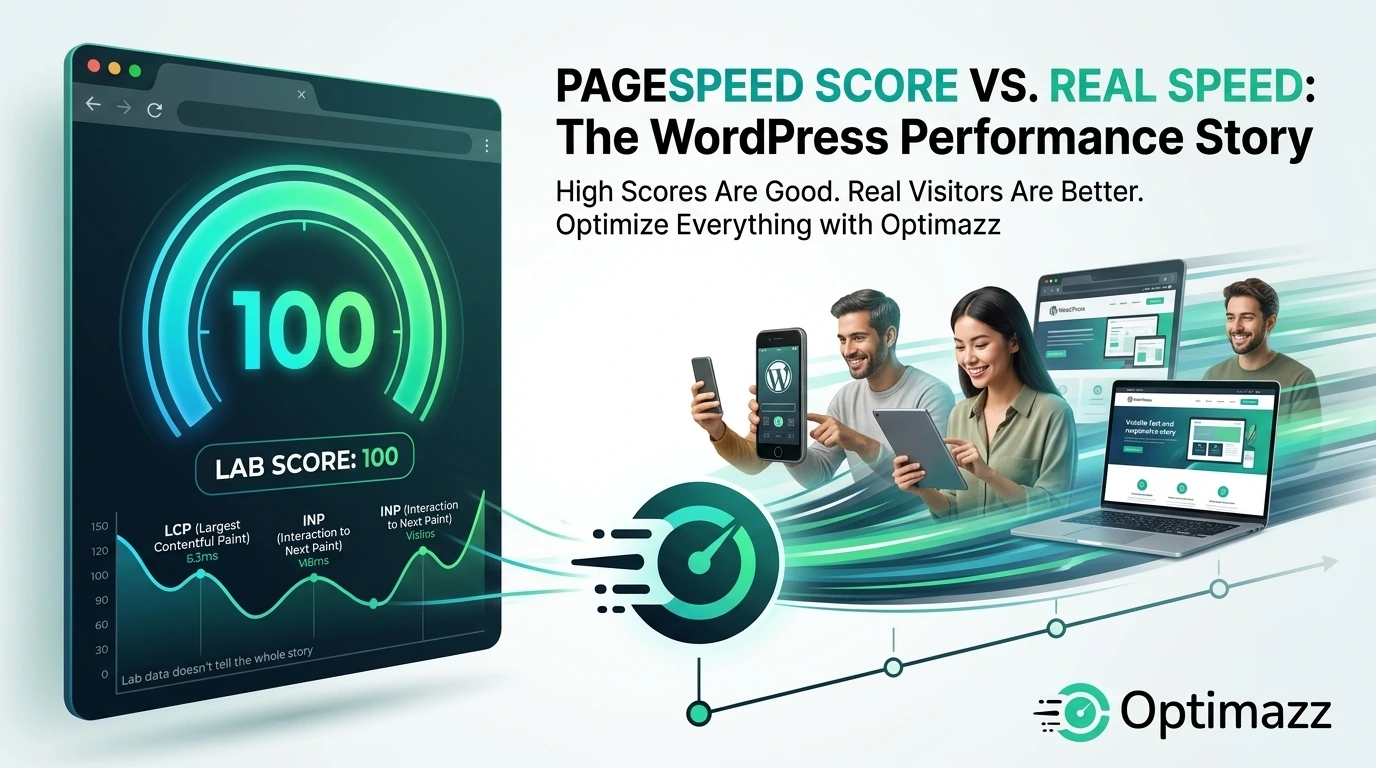
A 90, 95, or even 100 PageSpeed score looks impressive. But does a high PageSpeed score really mean your WordPress website is fast?
Not always.
Google PageSpeed Insights is an excellent tool for finding performance problems, but the score itself doesn’t tell the complete story. Your website can achieve a high PageSpeed score and still feel slow to real visitors.
For WordPress website owners, the better approach is to focus on real website performance — from page caching and image optimization to CSS, JavaScript, fonts, and overall user experience.
That’s where a complete WordPress optimization solution like Optimazz can help.
What Is a PageSpeed Score?
Google PageSpeed Insights analyzes your web page and evaluates several performance metrics.
These include important measurements such as:
- Largest Contentful Paint (LCP)
- Interaction to Next Paint (INP)
- Cumulative Layout Shift (CLS)
- First Contentful Paint (FCP)
- Total Blocking Time (TBT) in lab testing
- Time to First Byte (TTFB)
The result is a performance score between 0 and 100.
Generally, a higher score indicates better performance under the test conditions.
However, your PageSpeed score shouldn’t be treated as a guarantee that every visitor will experience your website as fast.
A score is a measurement. Website speed is an experience.
Why a High PageSpeed Score Doesn’t Always Mean a Fast Website
There are several reasons why a website with a high PageSpeed score can still feel slow.
1. Visitors Use Different Devices
You may test your website on a powerful desktop computer.
Your visitors might be using:
- Older smartphones
- Budget Android devices
- Tablets
- Older laptops
- Devices with limited processing power
A website that feels extremely fast on your computer may perform differently on another device.
That’s why WordPress optimization should focus on reducing unnecessary work for both the browser and the server.
With Optimazz, you can optimize important areas such as CSS, JavaScript, images, and fonts to help reduce unnecessary page resources.
2. Internet Connections Are Different
Your internet connection may be fast, but your visitors could be using slower or unstable connections.
A website needs to perform well across different network conditions.
This is another reason why simply chasing a high PageSpeed score isn’t enough.
Your goal should be to reduce unnecessary page weight and deliver important content efficiently.
3. Server Response Time Matters
Before a browser can render your WordPress page, it needs to communicate with your server.
A slow server response can delay the entire loading process.
Caching can make a significant difference here.
Optimazz includes page caching and cache preloading features designed to help WordPress websites serve cached pages more efficiently.
Instead of generating the same page repeatedly, caching can allow visitors to receive a previously generated version much faster.
4. Third-Party Scripts Can Affect Performance
Many WordPress websites use third-party services such as:
- Analytics
- Advertising
- Live chat
- Tracking platforms
- Social media widgets
- Embedded videos
- Marketing tools
These can add additional requests and JavaScript execution.
Optimizing your own website is important, but you should also understand which external resources are contributing to your page’s loading and interaction time.
5. One Page Doesn’t Represent Your Entire Website
A common mistake is testing only the homepage.
Your homepage may be extremely fast while your:
- Blog posts
- Product pages
- Landing pages
- Category pages
- Checkout pages
may perform differently.
Every page can contain different images, CSS, JavaScript, plugins, and dynamic content.
That’s why website optimization should be treated as an ongoing process.
PageSpeed Score vs. Real Website Performance
Think of PageSpeed Insights as a diagnostic tool.
It can help you discover potential problems, but the final goal shouldn’t be:
“I need to get 100.”
The better goal is:
“I need my website to load quickly and work smoothly for real visitors.”
This is an important distinction for WordPress website owners.
A high score is useful.
A fast website is better.
The Metrics That Actually Matter
Instead of looking only at the final score, pay attention to the individual performance metrics.
Largest Contentful Paint (LCP)
LCP measures how quickly the largest main content element becomes visible.
Large images, slow servers, inefficient CSS, and render-blocking resources can affect LCP.
Optimazz’s page caching, CSS optimization, image optimization, and font optimization can help address several of the factors that commonly contribute to slow page rendering.
Interaction to Next Paint (INP)
INP measures how responsive your website is when visitors interact with it.
A page can look loaded but still feel slow if buttons, menus, forms, or other interactive elements take too long to respond.
JavaScript optimization can help reduce unnecessary browser work.
Optimazz provides JavaScript optimization tools that can help WordPress site owners manage scripts more efficiently.
Cumulative Layout Shift (CLS)
CLS measures unexpected movement of content while a page loads.
For example, if an image loads late and pushes your content downward, visitors may experience a frustrating layout shift.
Correct image sizing, stable layouts, and proper resource loading can help reduce these problems.
Should You Chase a PageSpeed Score of 100?
Not necessarily.
Getting a 100 score is great, but it shouldn’t come at the expense of your website.
For example, you shouldn’t:
- Remove useful functionality just to increase a score
- Break JavaScript functionality
- Remove important tracking
- Sacrifice design unnecessarily
- Delay important content
- Make optimization settings so aggressive that your website breaks
Performance optimization should improve your website — not damage it.
This is why Optimazz provides multiple optimization controls instead of treating every website the same.
You can optimize the areas that matter for your specific WordPress website.
How Optimazz Helps Improve WordPress Performance
Optimazz is built as an all-in-one WordPress performance optimization plugin, bringing multiple optimization tools into a single dashboard.
Instead of installing and managing several plugins for different performance tasks, Optimazz brings essential optimization features together.
Page Caching
Caching can reduce server processing and help deliver pages faster to returning visitors.
Optimazz provides page caching functionality to help WordPress websites serve cached content efficiently.
CSS Optimization
Large or inefficient CSS files can increase the amount of work required before a page can be rendered.
Optimazz provides CSS optimization options to help reduce unnecessary CSS overhead and improve delivery.
JavaScript Optimization
JavaScript can affect both loading and interaction performance.
Optimazz provides JavaScript optimization features such as minification, defer, and delay options, helping you control when scripts are processed.
Image Optimization
Images can make up a significant portion of a web page’s total size.
Optimazz helps WordPress website owners improve image performance through features such as:
- Image compression
- Lazy loading
- WebP support
- AVIF support
Optimizing images can reduce page weight while maintaining a good visual experience.
Font Optimization
Fonts are another area that can affect loading performance.
Loading unnecessary font files or too many font weights can increase resource usage.
Optimazz’s font optimization features help you manage font loading more efficiently.
Cache Preloading
Caching works best when important pages are already cached before visitors request them.
Optimazz’s cache preloading feature helps prepare cached pages so visitors can receive cached content without waiting for the cache to be generated.
Database Cleanup
Over time, WordPress databases can accumulate unnecessary data.
Optimazz also includes database cleanup tools that can help website owners keep their WordPress installation cleaner and more efficient.
Why Use Optimazz Instead of Managing Multiple Optimization Plugins?
WordPress performance optimization often becomes complicated.
One plugin handles caching.
Another handles image optimization.
Another handles database cleanup.
Another handles CSS and JavaScript.
Another handles fonts.
Soon, you have several optimization plugins managing different parts of the same website.
This can make configuration and troubleshooting more difficult.
Optimazz takes a different approach by bringing essential WordPress optimization features together in one plugin.
That means fewer dashboards to manage and a more centralized approach to website performance.
A Better WordPress Performance Strategy
Instead of chasing a perfect PageSpeed number, use a broader strategy.
Step 1: Test Your Website
Use PageSpeed Insights to identify performance problems.
Step 2: Find the Biggest Problems
Look at metrics such as LCP, INP, CLS, and server response time.
Step 3: Optimize the Right Resources
Focus on:
- Caching
- CSS
- JavaScript
- Images
- Fonts
- Database performance
Step 4: Use Optimazz to Centralize Optimization
Optimazz gives you a single place to manage many of these performance improvements.
Step 5: Test Again
After making changes, test your website again.
Don’t assume that every optimization setting should be enabled.
Different WordPress websites use different themes, plugins, builders, and functionality.
The best settings are the ones that improve performance without breaking your website.
Stop Chasing 100. Start Building a Faster Website.
A PageSpeed score of 100 can look great in a screenshot.
But your visitors don’t see your PageSpeed score.
They see your website.
They interact with your menus.
They scroll through your content.
They click your buttons.
They browse your products.
They submit your forms.
That’s the experience that matters.
Use PageSpeed Insights to identify problems, but don’t make the score your only goal.
Use the right optimization techniques to improve the actual performance of your WordPress website.
And if you’re looking for an all-in-one WordPress performance plugin, Optimazz brings caching, CSS optimization, JavaScript optimization, image optimization, font optimization, cache preloading, database cleanup, and other performance tools together in one place.
Final Thoughts
So, does a high PageSpeed score really mean a fast website?
No — not necessarily.
A high score is a useful indicator, but real website performance depends on many factors, including your server, device, network, page structure, JavaScript, images, fonts, and third-party resources.
The goal shouldn’t be to make a number look perfect.
The goal should be to create a fast, responsive, stable, and enjoyable WordPress website.
With the right optimization strategy — and tools like Optimazz — you can focus on improving the things that actually affect your visitors.
Don’t optimize just for a score. Optimize for speed, experience, and your visitors.
Ready to Optimize Your WordPress Website?
Try Optimazz and bring essential WordPress performance optimization tools into one simple dashboard.
Optimize smarter. Load faster. Grow better with Optimazz.
Getting a 90, 95, or even 100 PageSpeed score feels like the ultimate goal for website owners. But does a high PageSpeed score really mean your website is fast?
Not necessarily.
Google PageSpeed Insights is a useful tool for identifying performance problems, but its score is not the same thing as your website’s actual speed for every visitor. A website can achieve an excellent PageSpeed score and still feel slow on certain devices, networks, or pages.
For WordPress website owners, understanding the difference between a performance score and real-world performance is essential.
Let’s look at what a PageSpeed score actually means, why you shouldn’t blindly chase 100, and what you should focus on instead.
What Is a PageSpeed Score?
Google PageSpeed Insights is a performance testing tool that analyzes a web page and provides recommendations for improving its performance.
The performance score is based on several technical metrics, including:
- First Contentful Paint (FCP)
- Largest Contentful Paint (LCP)
- Total Blocking Time (TBT) in lab testing
- Cumulative Layout Shift (CLS)
- Interaction to Next Paint (INP)
The score is useful because it can highlight potential performance issues.
However, it is important to understand that the score is an indicator, not a direct measurement of how fast every visitor experiences your website.
A score of 95 doesn’t mean your website always loads in a specific number of seconds.
Why a High PageSpeed Score Doesn’t Always Mean a Fast Website
There are several reasons why a website with an excellent PageSpeed score can still feel slow.
1. Your Visitors Use Different Devices
You might test your website on a powerful desktop computer with a fast internet connection.
Your visitors may be using:
- Older smartphones
- Budget Android devices
- Tablets
- Slower laptops
- Limited mobile networks
A website that feels instant on your computer may take noticeably longer to load on a less powerful device.
That’s why mobile performance is particularly important for WordPress websites.
2. Internet Connections Are Different
Your PageSpeed test happens under specific testing conditions.
Real visitors can access your website using:
- 4G
- 5G
- Slow mobile connections
- Public Wi-Fi
- Unstable networks
- High-latency connections
A page that performs well under one network condition may not feel equally fast under another.
3. Server Response Time Matters
Before the browser can display your website, it needs to communicate with your server.
If your hosting environment has a slow response time, visitors may experience delays even when the rest of the page is well optimized.
Factors such as hosting quality, server configuration, database performance, caching, and website traffic can all influence server response time.
4. Third-Party Scripts Can Slow Down Your Website
Your website may depend on services outside your WordPress installation.
Examples include:
- Google Analytics
- Advertising scripts
- Social media widgets
- Chat widgets
- Tracking tools
- Marketing platforms
- Embedded videos
These services can introduce additional requests and JavaScript execution.
You can have an excellent PageSpeed score while still having third-party elements that affect the perceived speed of your website.
5. One Page Doesn’t Represent Your Entire Website
Another common mistake is testing only the homepage.
Your homepage might be fast while other pages are not.
For example:
- Homepage: Fast
- Blog page: Fast
- Product page: Slow
- Checkout: Slow
- Landing page: Slow
WordPress websites often contain different templates, plugins, images, scripts, and dynamic elements on different pages.
That’s why performance should be evaluated across important pages rather than relying on a single test.
PageSpeed Score vs. Real Website Performance
A PageSpeed score is useful, but it should not be your only measurement.
Think of it this way:
PageSpeed score = performance indicator
Real user experience = what visitors actually experience
Both are important.
A high score can tell you that many technical performance factors are in good shape. But real-world performance depends on much more than one laboratory test.
What Metrics Should You Watch?
Instead of focusing only on the final score, pay attention to the underlying performance metrics.
Largest Contentful Paint (LCP)
LCP measures how quickly the largest visible content element becomes available.
A good LCP helps visitors see the main content quickly.
Large images, slow servers, render-blocking resources, and inefficient page structures can negatively affect LCP.
Interaction to Next Paint (INP)
INP measures how responsive a page is to user interactions.
A page might visually load quickly but still feel slow if buttons, menus, forms, or other interactive elements take too long to respond.
Cumulative Layout Shift (CLS)
CLS measures unexpected movement of page content.
For example, imagine clicking a button just as an image or advertisement loads and pushes the button somewhere else.
That’s a poor user experience.
Time to First Byte (TTFB)
TTFB measures how quickly the server begins responding to a request.
A slow server response can delay everything that comes afterward.
Caching and better hosting can often help improve server response time.
Should You Try to Get a PageSpeed Score of 100?
A 100 score is great, but it shouldn’t become an obsession.
If reaching 100 requires breaking your layout, delaying important content, removing useful functionality, or creating a poor user experience, the score isn’t worth it.
Your goal should be fast, stable, and usable pages.
For most website owners, a strong PageSpeed score combined with good Core Web Vitals and a positive real-world user experience is more valuable than simply chasing the perfect number.
How to Improve Real WordPress Performance
If your WordPress website is slow, start with the fundamentals.
Use Page Caching
Page caching can reduce the amount of work your server needs to perform for repeated requests.
A properly configured cache can significantly improve loading performance for visitors.
Optimize CSS
Unused or unnecessarily large CSS can increase page size and rendering work.
Optimizing CSS can help browsers render important content more efficiently.
Optimize JavaScript
JavaScript can consume browser resources and delay page interactions.
Depending on your website, techniques such as minification, deferring non-critical scripts, and delaying certain JavaScript can improve performance.
However, optimization settings should be tested carefully because aggressive JavaScript optimization can sometimes break website functionality.
Optimize Images
Images are often responsible for a significant portion of a web page’s total size.
Consider:
- Compressing images
- Using modern formats such as WebP or AVIF
- Serving appropriately sized images
- Lazy-loading images that are not immediately visible
Optimize Fonts
Too many font files and unnecessary font weights can increase page load time.
Using fewer font variations and loading fonts efficiently can help improve performance.
Reduce Unnecessary Plugins
Installing too many plugins isn’t automatically bad, but unnecessary plugins can add scripts, styles, database queries, or other processing.
Review your installed plugins regularly and remove plugins you no longer need.
Monitor Your Website After Optimization
Performance optimization isn’t a one-time task.
Your website changes over time as you:
- Install plugins
- Add images
- Publish content
- Add tracking tools
- Change themes
- Add new features
Test your website regularly to make sure performance remains healthy.
How Optimazz Helps Optimize WordPress Performance
Optimazz is designed to bring essential WordPress performance optimizations together in one place.
Instead of managing several separate optimization tools, you can use Optimazz to work on key areas of website performance, including:
- Page caching
- CSS optimization
- JavaScript optimization
- Image optimization
- Font optimization
- Cache preloading
- Database cleanup
- WordPress performance settings
The goal isn’t simply to make a number turn green.
The goal is to help WordPress websites load faster, respond better, and provide a better experience for visitors.
A Better Way to Think About PageSpeed
Don’t ask only:
“How can I get a PageSpeed score of 100?”
Ask:
“How can I make my website faster for real visitors?”
That change in mindset can lead to better optimization decisions.
Use PageSpeed Insights to identify potential problems. Check Core Web Vitals to understand important user-experience metrics. Test your website on mobile devices and different networks. And most importantly, make sure optimization doesn’t come at the expense of usability or functionality.
Final Thoughts
So, does a high PageSpeed score really mean a fast website?
Not always.
A high PageSpeed score is a valuable performance signal, but it doesn’t tell the entire story. Real-world website performance depends on your hosting environment, device, network, page structure, third-party services, and how your website behaves for actual visitors.
Instead of chasing a perfect score, focus on building a website that is fast, responsive, stable, and enjoyable to use.
PageSpeed Insights is a tool. The real goal is a better website experience.
Optimize for your visitors — not just the score.